
Mobile app development for service businesses
Mobile apps for service businesses in React Native on Supabase and Node: technician, booking, dispatch, and owner apps, wired into the systems you already run.
Call us. A person answers in office hours; after hours, leave a message and we call you back within one business day.
Verify us
- GitHub: Link coming soon
- Clutch: Link coming soon
- Google reviews: Link coming soon
- Crunchbase: Link coming soon
- Press: Link coming soon
What it does
Plainbuilt builds mobile apps for service businesses: field-technician apps, customer booking apps, fleet and dispatch apps, estimating apps, and an owner's assistant in a pocket, in React Native on Supabase, Node, and Twilio, wired into the systems you already run. An engineering practice since 2014 with 200+ shipped projects; we build the systems our AI runs on.
It puts the job in the hands of the person doing it. A field-technician app with the job card, the photos, and the checklist. A customer booking app that lets a homeowner book without a call. A fleet and dispatch app with the board on the driver's phone. An estimating app that turns photos into a quote. A crew scheduling app. Patient intake apps, real estate showing apps, companion apps for hardware, and marketplace and community apps: the ten categories in the portfolio are the shapes we have shipped.
Every app is built in the stack we ship in: React Native for the app, Supabase and Postgres for the data, Node for the services behind it, and Twilio for texts and calls. It is wired into the system your operation already runs on, ServiceTitan or Jobber for a contractor, so the app is not another place to type things in.
A build runs discovery, spec, build, ship, support. The working session opens discovery; the spec is the build plan; the app ships into the live operation; and we keep it running after that. Every deployment carries a written ROI commitment, and a custom build is no exception.
Media pending
What it is wired into
- React Native
- The app itself is built in React Native, for iOS and Android.
- Supabase/Postgres
- The app's data lives in Postgres on Supabase.
- Node
- The services behind the app run on Node.
- Twilio
- Texts and calls from the app go through Twilio.
- ServiceTitan
- Wired into ServiceTitan when that is where your jobs live.
- Jobber
- Wired into Jobber when that is where your jobs live.
How a build runs
Timeline set in the working session
- 1
Discovery
We start with the operation, not the app: who will use it, where they are standing when they do, and what it has to do on a job. The 30-minute working session opens discovery.
- 2
Spec
We write down what gets built: the screens, what the app is wired into, and the number the written ROI commitment measures. The spec is the build plan.
- 3
Build
We build in React Native on Supabase, Postgres, and Node, wired into the systems you already run.
- 4
Ship
The app ships into your live operation and runs with real traffic, real jobs, and the people who will use it.
- 5
Support
We keep the app running after it ships: fixes, updates for new phone operating systems, and the next features when you want them.
What we measure
- Agreed in the build plan
Every deployment carries a written ROI commitment.
Recent work
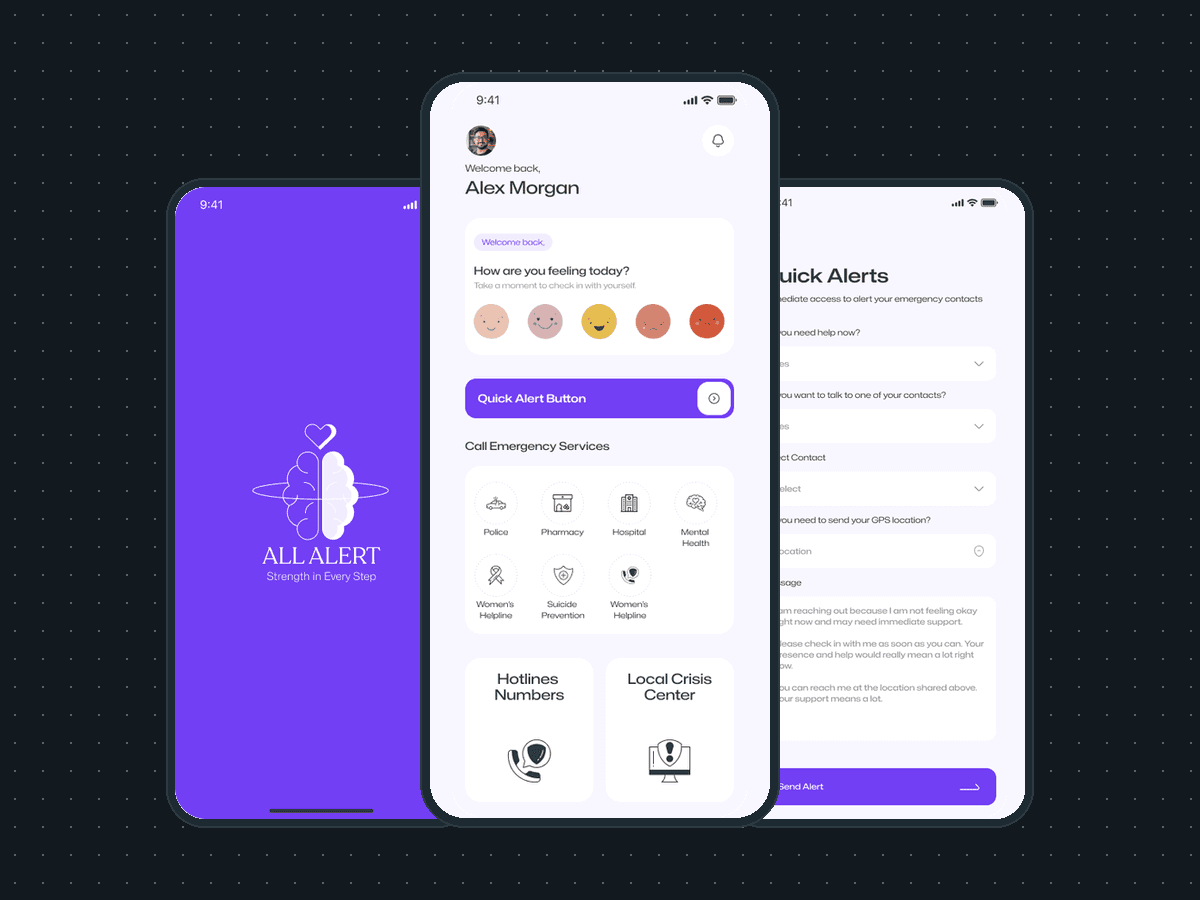
Mobile app development
All Alert: a crisis-support app designed to be fundable
Mobile app design for All Alert, a crisis-support app: 19 iOS screens, a brand identity and the product reasoning, in 2 months. Taken in front of 7 investors.
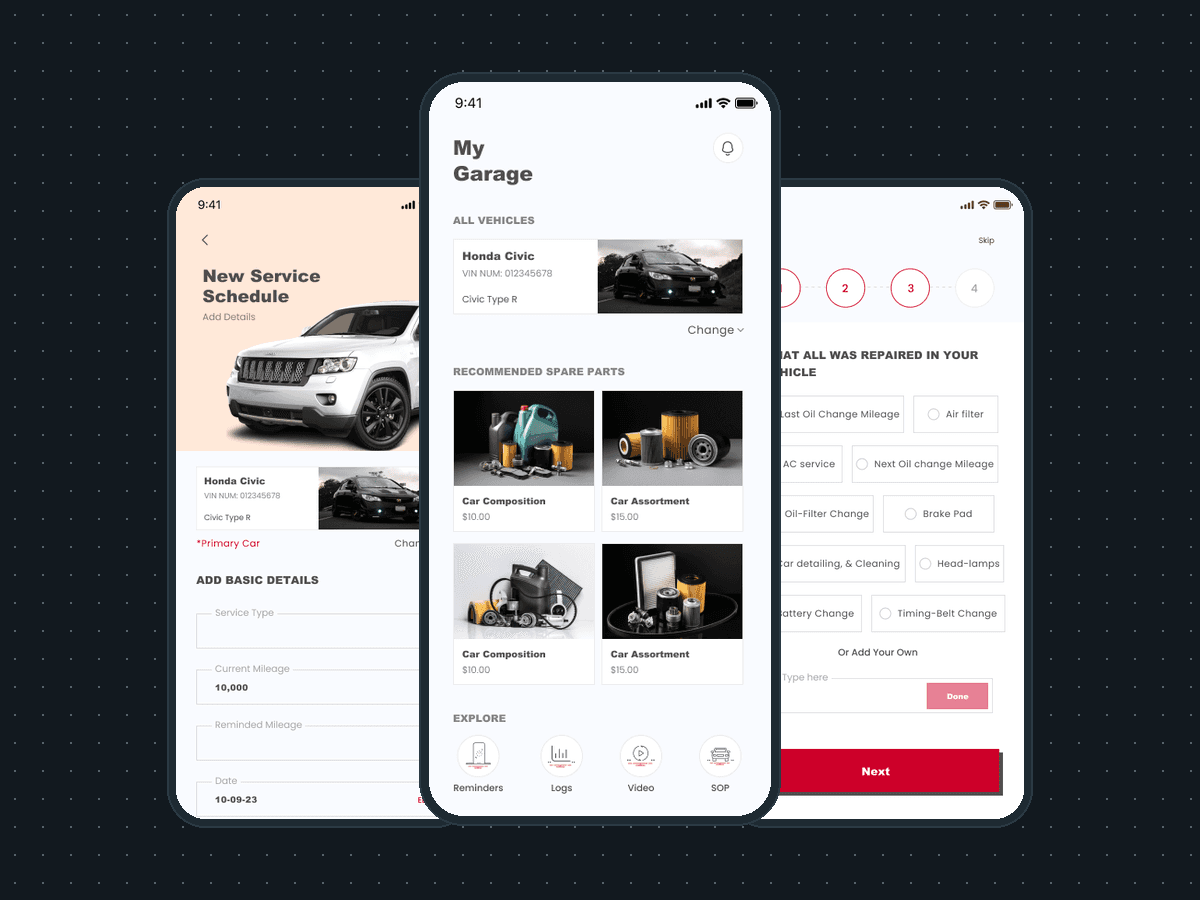
Mobile app development
AutoAide: a car-care app for owners and technicians
AutoAide, a vehicle-care app: 45 iOS screens for a garage of cars, service schedules and reminders, shops near me and how-to videos, built in under 6 months.
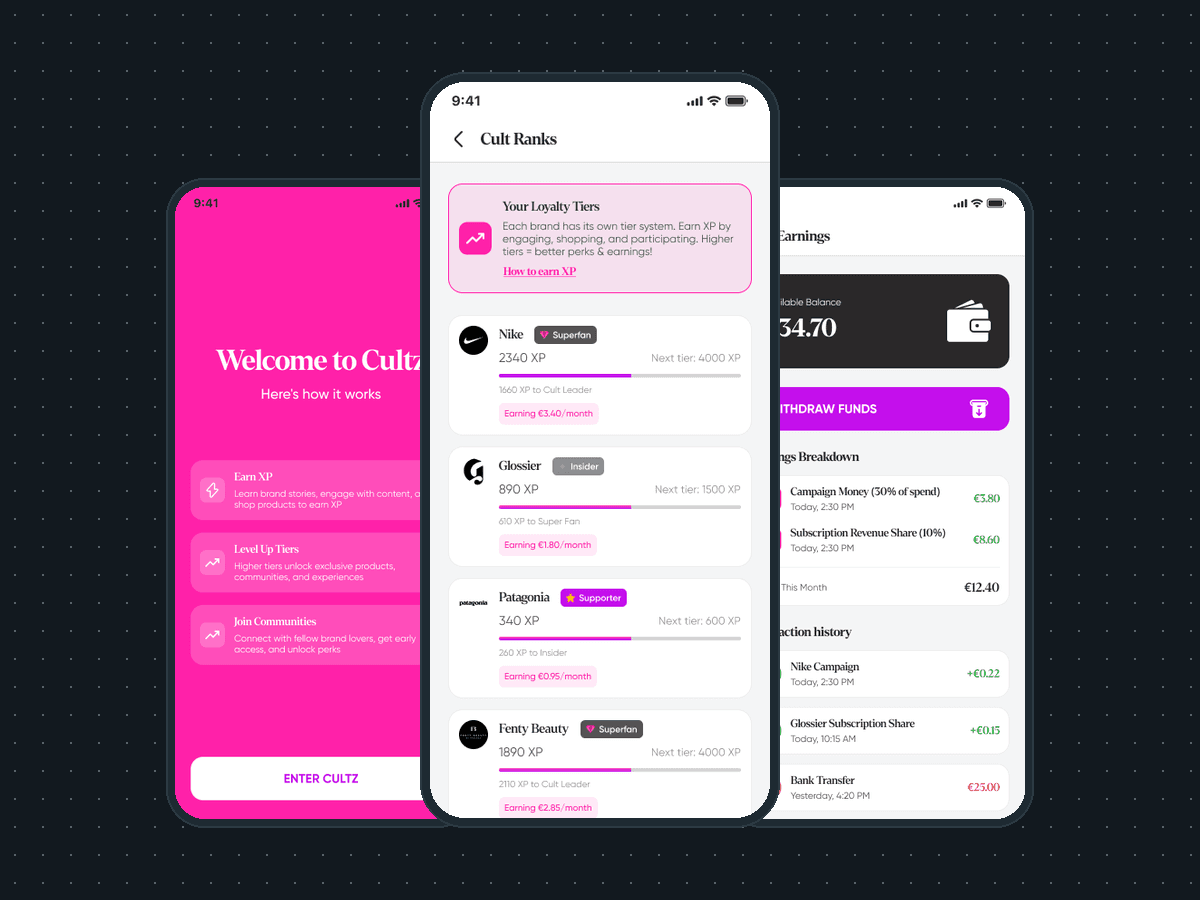
Mobile app development
Cultz: a loyalty app where fans earn from brands
Mobile app development for Cultz, a fan loyalty and community app: 75 iOS screens across a fan app and a brand app, built full stack in under 6 months.
Industry versions
How pricing works
Pricing on request
Common questions
Who owns the code when the app ships?
Set out in the agreement
What is the app built in?
React Native for the app itself, Supabase and Postgres for the data, Node for the services behind it, and Twilio when the app sends texts or places calls. It is the stack we ship everything in, the same one our own AI systems run on.
How does the working session turn into a build plan?
A build runs in five steps: discovery, spec, build, ship, support. The 30-minute working session opens discovery: what the app has to do, who uses it in the field, and what it is wired into. The spec that follows is the build plan: what gets built, in what order, and the number the written ROI commitment measures. Timeline set in the working session
Does the written ROI commitment apply to a mobile app?
Yes. Every deployment carries a written ROI commitment, and a custom build is a deployment. The spec names the number the app is built to move, and that number is what we measure after it ships. Agreed in the build plan