Skip to content

AutoAide: a car-care app for owners and technicians

AutoAide, a vehicle-care app: 45 iOS screens for a garage of cars, service schedules and reminders, shops near me and how-to videos, built in under 6 months.

AutoAide

The engagement

Client
AutoAide
Industry
Vehicle care and automotive service
Year
To follow
Duration
Under 6 months
Delivered
45 screens, iOS, sign-in and onboarding, the garage, service schedules and reminders, logs, shops, how-to videos, built full stack
Stack
To follow
Role
Full-stack development: design and build of the mobile app

AutoAide is a vehicle-care app for car owners and automotive technicians. Plainbuilt designed and built it full stack and delivered it in under 6 months: 45 iOS screens for sign-in and a four-step onboarding, a garage of cars with their VINs and mileage, service schedules and reminders, logs, SOPs and receipts, shops nearby for parts and repairs, and how-to videos from technicians. The design rests on one card per car: everything the person does hangs off it.

Who is AutoAide for?

Two kinds of person, chosen on the last step of onboarding. The vehicle owner keeps one or more cars in a garage, each with its VIN, its model and its mileage, and comes back for the next service date, the last repair, a receipt or a part. The automotive technician, an individual or a shop owner, becomes a professional, earns a badge on the profile and posts step-by-step how-to videos that owners watch from a schedule or the video listing. Shops sit between the two: the Shop tab lists shops to buy spare parts and repair shops near me, each with a rating and a distance, and a repair shop page carries a booking form.

What did Plainbuilt build?

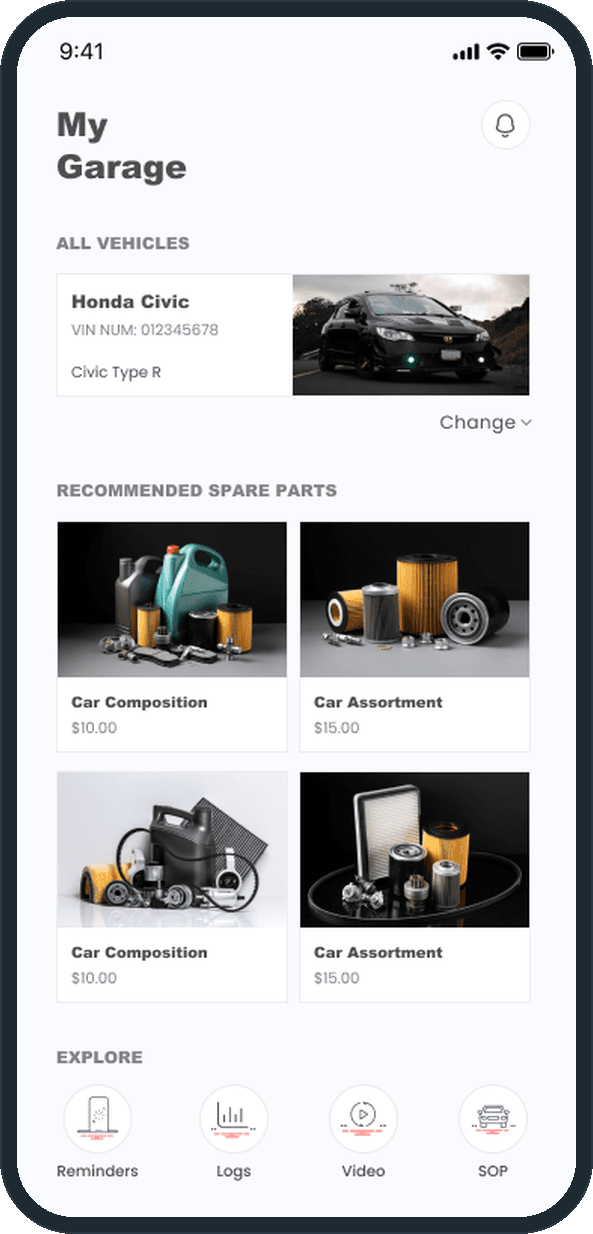
The whole app, front to back, as the screens show it. Sign-in by email or phone with a one-time code, sign-up, forgot and reset password. A four-step onboarding: add the vehicle, when it was last serviced, what was repaired, and what defines you best, each step skippable. Home with a search bar, a daily tips card and Create cards for a new service schedule, a new vehicle, the service guide, the how-to guide and My Vehicles. My Garage with the vehicle card, recommended spare parts, Reminders, Logs, Video and SOP, and a Capture Receipt card. Vehicle details with Upcoming and Past service tabs. New and Edit Service Schedule. Reminders as a dated list, vehicle logs as service or repair records with a date, a time and a mileage, vehicle SOPs, and receipts as named photos. The Shop tab with shops, parts and a booking form. How-to videos with a step-by-step guide, and a New Video form with a clip and a description per step. Trivia, ten questions at a time. A profile, the Become a professional forms, a subscription plan, and settings with notification and location toggles, the legal pages and account deletion.

What does a service schedule look like?

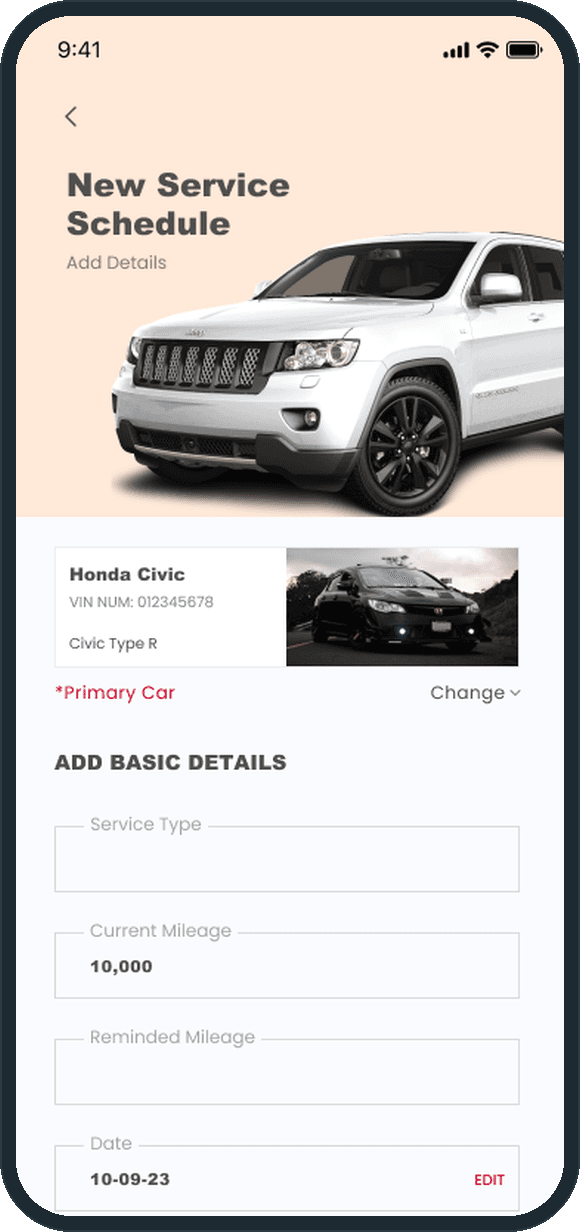
One long form under the primary car. The service type, the current mileage and the reminded mileage, the date, the items to be repaired as removable chips, additional notes, then self service or service from outside, the items required, a row of how-to videos and the Create Schedule button. Edit Service Schedule is the same form with the fields filled. Beside it, the vehicle's record keeps an Upcoming Service and a Past Service tab, and Reminders is a dated list of its own.

Why ask what was repaired before the garage opens?

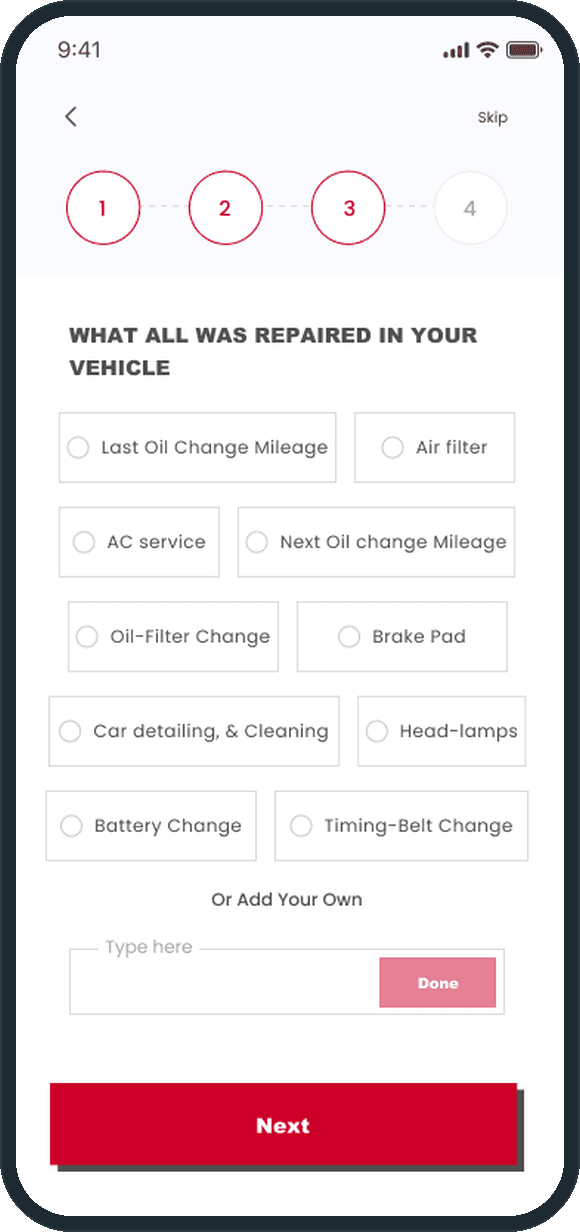
Because an empty garage has nothing to remind anyone about. Step 2 asks when the car was last serviced, with the date, the time, the odometer mileage and when the next service is due; step 3 asks what was repaired, as chips. The first schedule then has a car, a last service and a list of parts to start from. Each step can be skipped, so a person who wants to look around first can, and the same forms wait behind the Create cards on Home.

How does a car owner keep up with service?

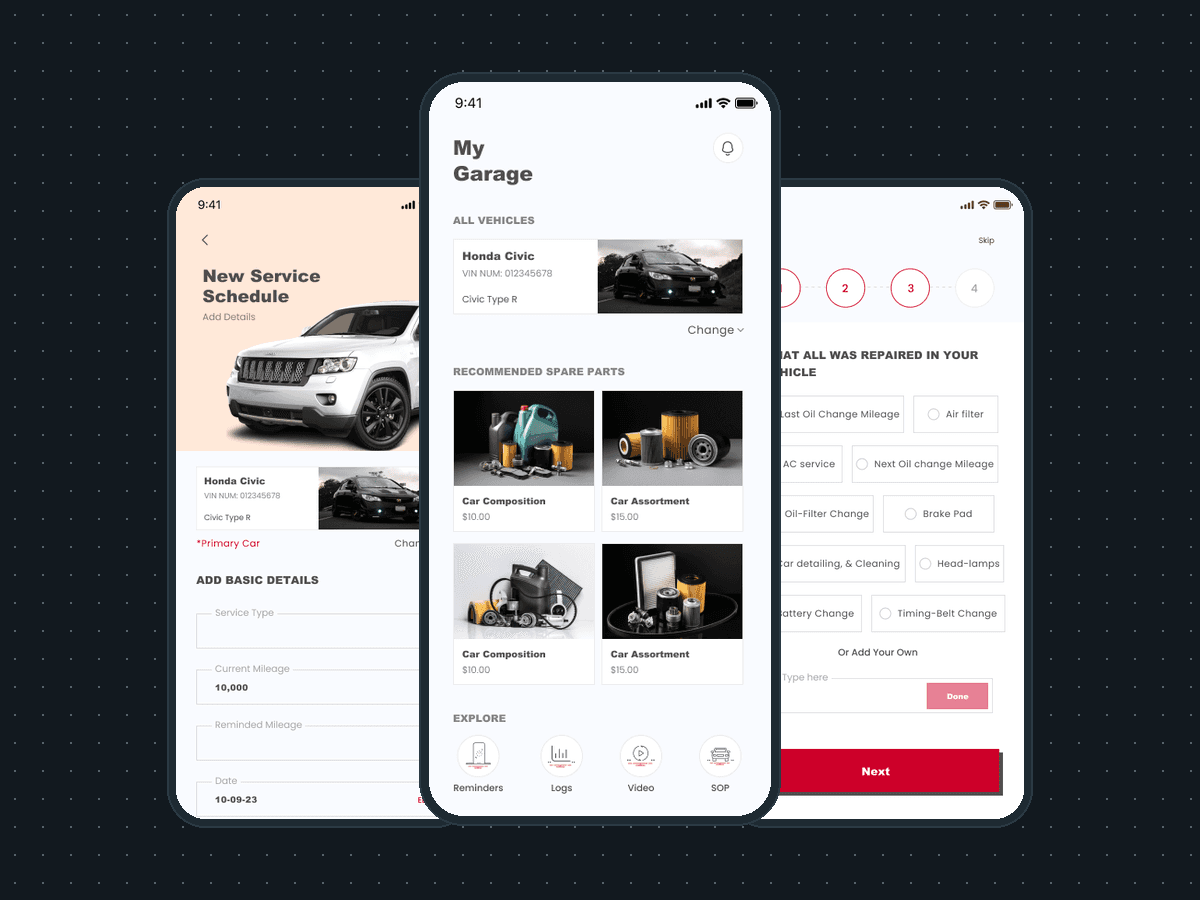
From the garage. The primary car sits at the top of My Garage with its VIN and model and a Change control to swap it, then recommended spare parts with prices and one-tap Reminders, Logs, Video and SOP. A new service schedule takes the primary car, the service type, the current and reminded mileage, the date and the items to be repaired as removable chips. Onboarding asks when the car was last serviced and what was repaired before the garage opens, so the first reminders have something to start from.
  • AutoAide: How does a car owner keep up with service?
  • AutoAide: How does a car owner keep up with service?
  • AutoAide: How does a car owner keep up with service?

How does a car get added?

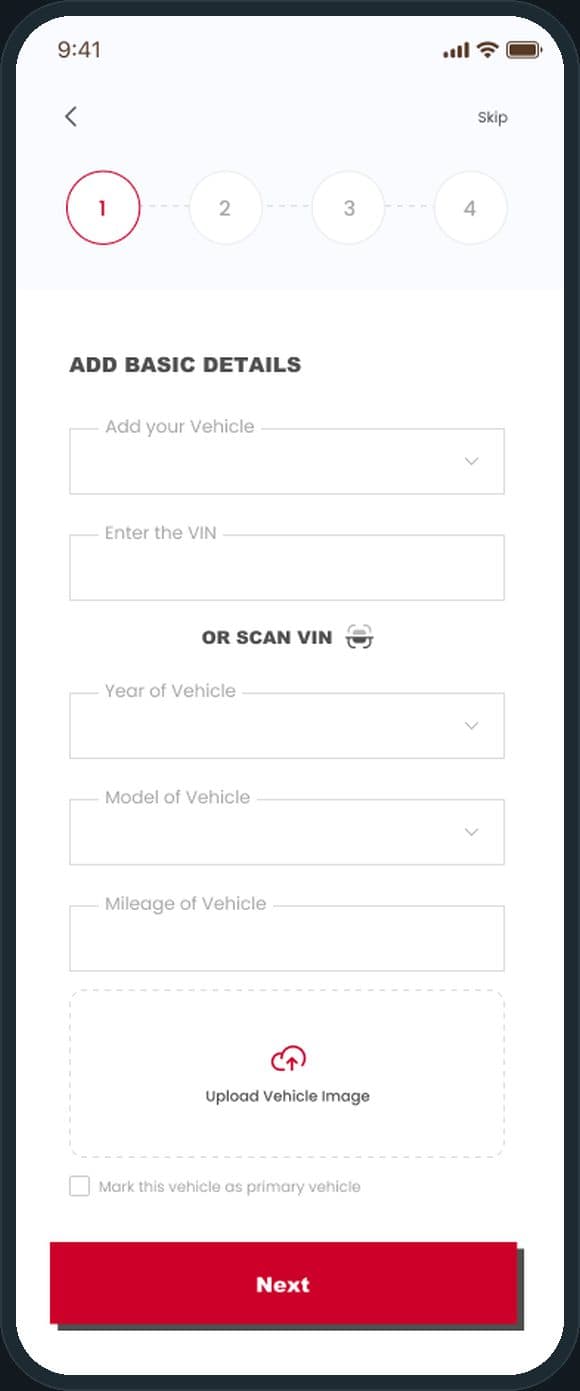
One form. The person picks the vehicle, types the VIN or scans it, sets the year, the model and the mileage, uploads a photo and can mark the car as the primary vehicle. The form is step 1 of onboarding and sits behind the Add New Vehicle card on Home, so a second car takes the same taps as the first.

AutoAide: How does a car get added?

What changes for an automotive technician?

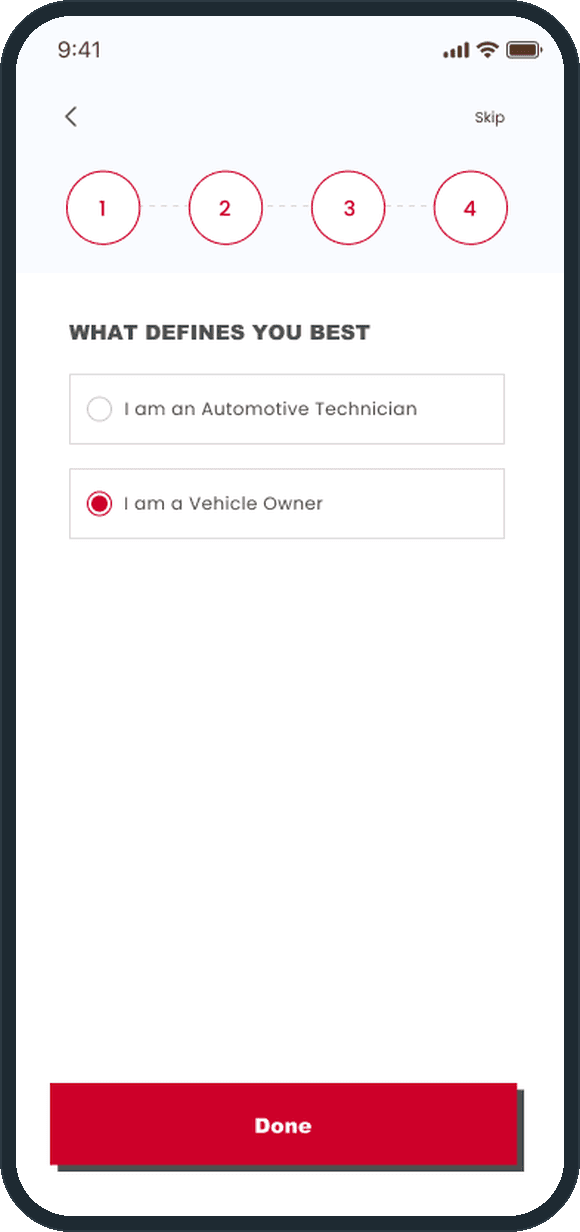
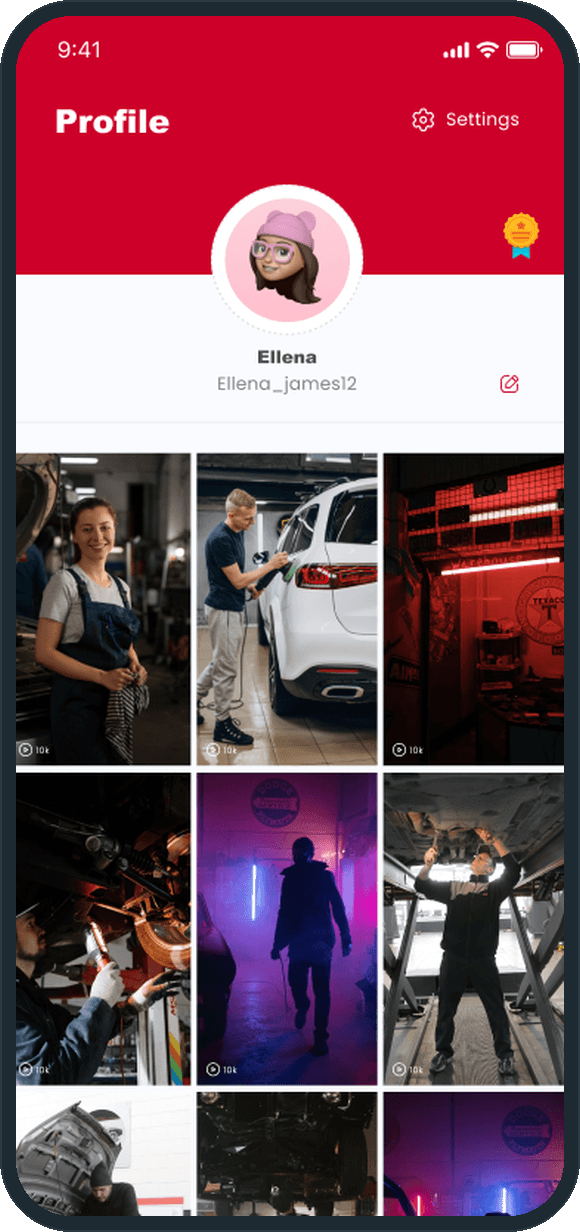
The last onboarding step asks what defines you best: I am an Automotive Technician or I am a Vehicle Owner. A technician can become a professional as an individual or as a shop owner. The profile is the same for both, a red header with the avatar and the handle over a grid of posted how-to videos with their view counts; the professional gets a badge beside the avatar.

  • AutoAide: What changes for an automotive technician?
  • AutoAide: What changes for an automotive technician?

What does one vehicle's record hold?

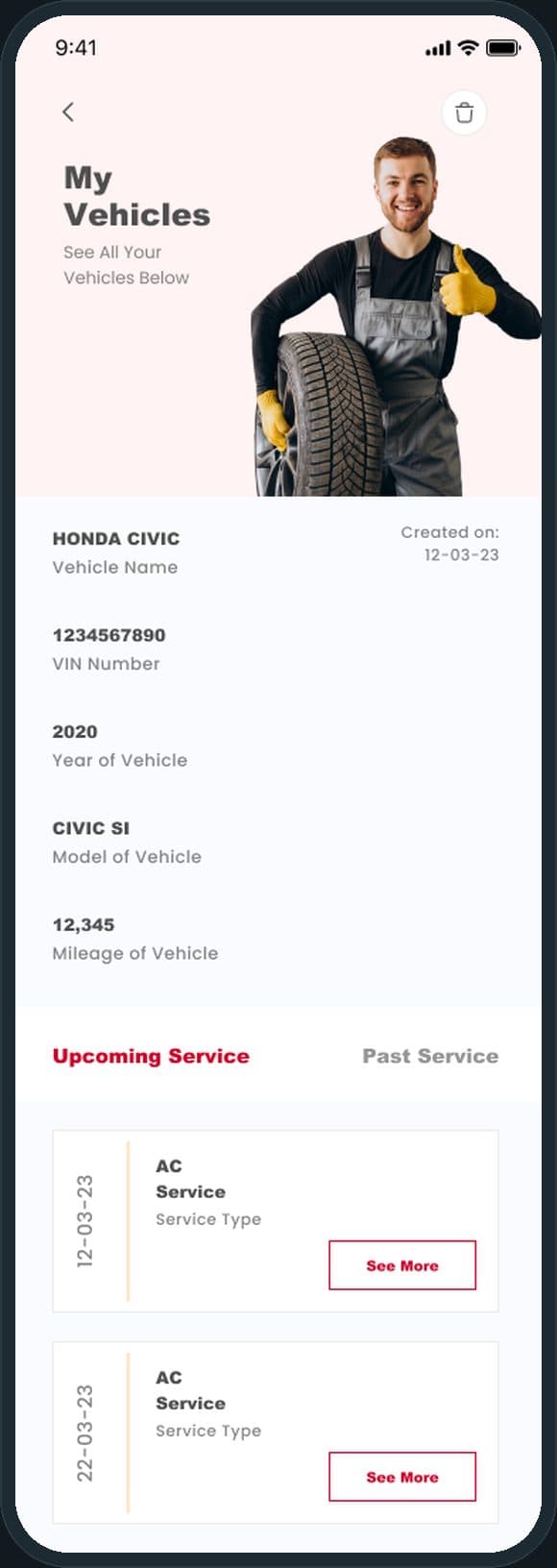
The name, the VIN, the year, the model, the mileage and the date the car was added, then two tabs, Upcoming Service and Past Service, each a dated list of service types with a See More button. The delete icon sits in the header, and a confirmation dialog stands between it and the record.

AutoAide: What does one vehicle's record hold?

Where do owners find parts and repair shops?

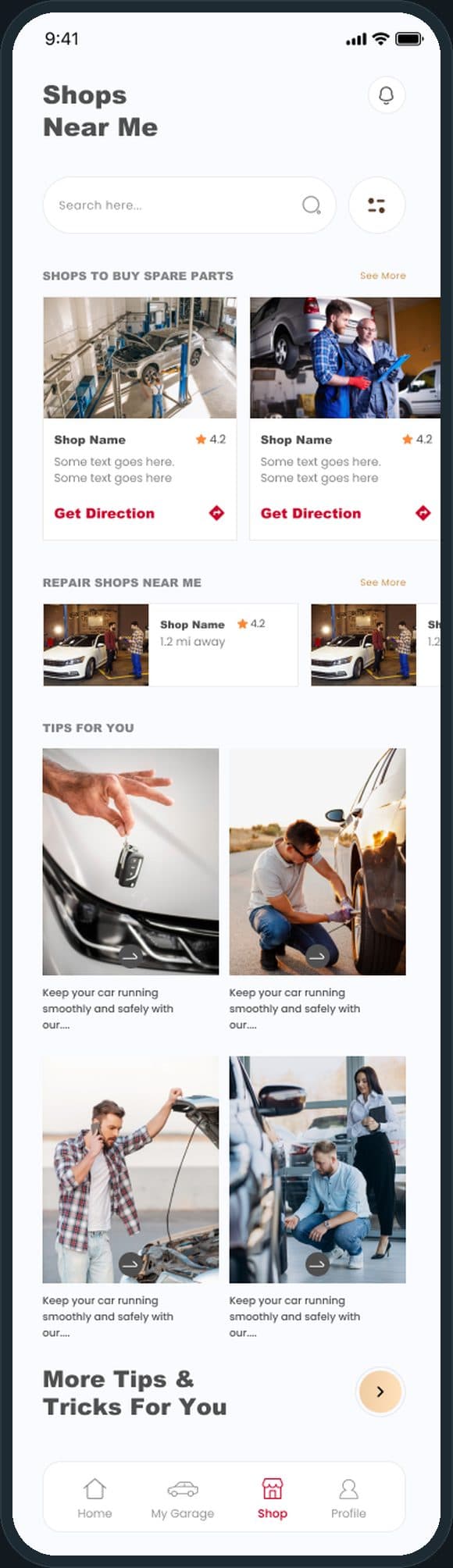
On the Shop tab. Shops to buy spare parts and repair shops near me are listed with a star rating, the distance in miles and a Get Direction link, under a search bar and a filter control. A repair shop page carries a booking form, and a part page a price with similar products. Under the shops, a Tips For You grid.

AutoAide: Where do owners find parts and repair shops?

The decisions

  • One card per car.

    My Garage opens on the primary car: its name, its VIN and its model on one card, with a Change control to swap it. The spare parts, the reminders, the logs, the videos, the SOPs and the receipts all hang off that card, so the garage is the home of everything the person does with the car.

  • Onboarding fills the schedule before the garage opens.

    Four steps, each skippable: add the vehicle, say when it was last serviced, tick what was repaired, choose owner or technician. By the time the garage appears, the first reminder has a car, a date and a list to start from.

  • Repairs are chips, not a text box.

    What was repaired is a set of tappable chips: last oil change mileage, air filter, AC service, brake pad, battery change, timing-belt change, with a Type here field for anything else. On the schedule the same chips are removable with one tap. Typing is the exception.

  • One profile for two kinds of person.

    An owner and a technician share the same profile: a red header, the avatar and the handle, and the grid of posted videos with their view counts. The professional adds a badge and the Become a professional forms, as an individual or a shop owner, not a second app.

What was the outcome?

Built and delivered in under 6 months

One outcome per item, dated, or not disclosed: never an estimate.

Which of our services apply

Common questions

Did Plainbuilt build AutoAide?

Yes. Plainbuilt designed and built it full stack and delivered it in under 6 months.

What can a car owner do in AutoAide?

Add each car with its VIN, year, model and mileage; schedule a service with the current and reminded mileage and the date; keep reminders, logs, SOPs and receipts per car; find shops to buy spare parts and repair shops near me; watch how-to videos posted by technicians; and answer car trivia, ten questions at a time.