Skip to content

A doctors' clinic website with booking on every page

Website and CRM design for a doctors' clinic: 9 page designs for desktop and a phone layout, with appointment booking by doctor and department from every page.

Doctors' clinic website

The engagement

Client
To follow
Industry
Healthcare
Year
To follow
Duration
To follow
Delivered
9 pages for desktop, the phone layout of the home page and the phone menu, with the CRM behind the appointment form, built full stack
Stack
To follow
Role
Full-stack development: design and build of the website and its CRM

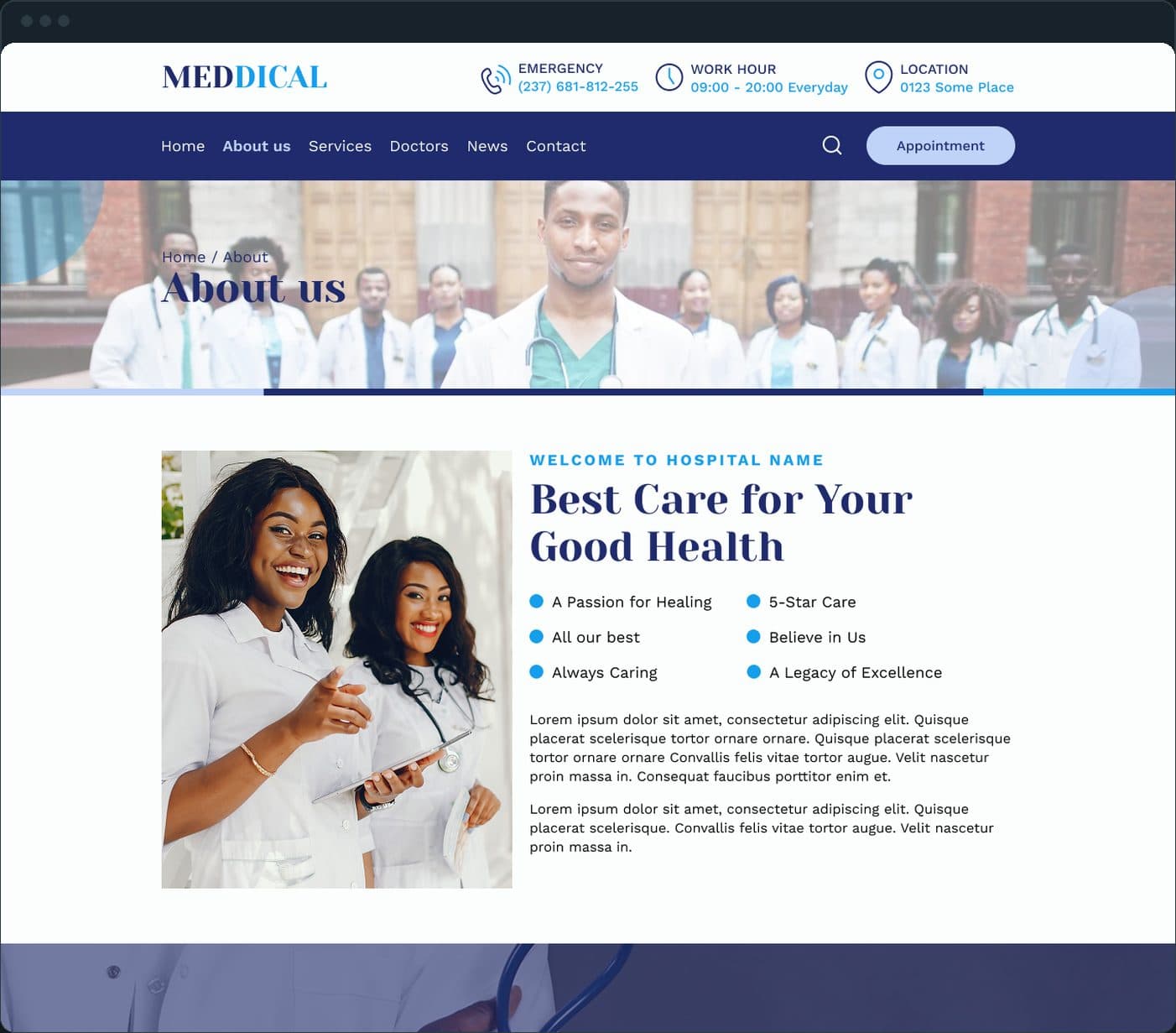
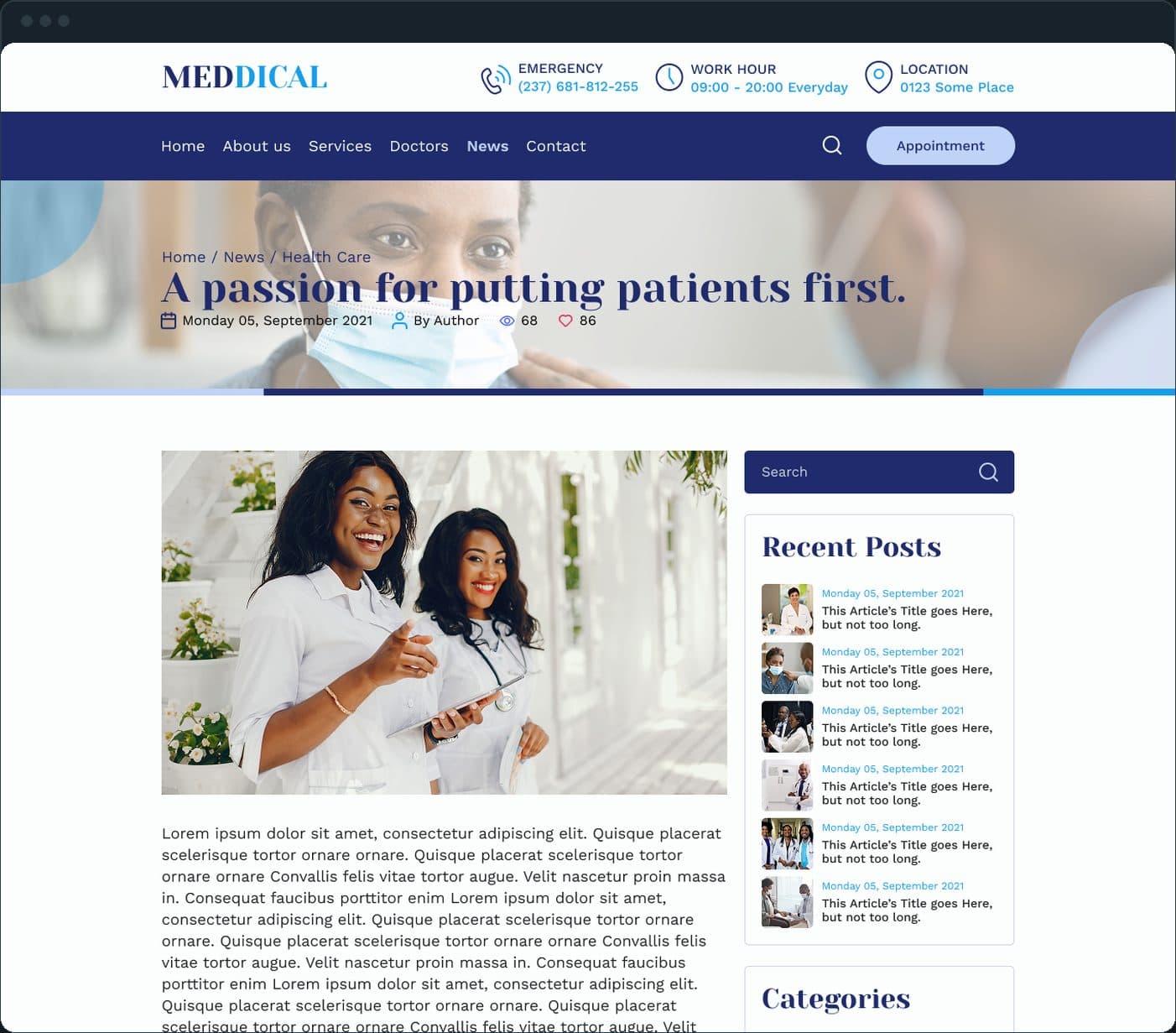
A doctors' clinic website with appointment booking on every page and a CRM behind the form. Plainbuilt designed 9 pages for desktop and the phone layout: home, about us, services, doctors, appointment, contact and news, each with its own URL, so a patient can book, pick a doctor or read about a service without a phone call. The screens below are the design comps: the layout, with placeholder text where the clinic's own copy goes.

What did Plainbuilt build?

The whole site and the CRM behind it, full stack: nine pages for desktop with the phone layout, the appointment form that sits on every page, and the records it writes, so a request made from the services page, a doctor's profile or the home page lands with the front desk in one place. The screens on this page are the design comps the build followed.

How does a patient book an appointment?

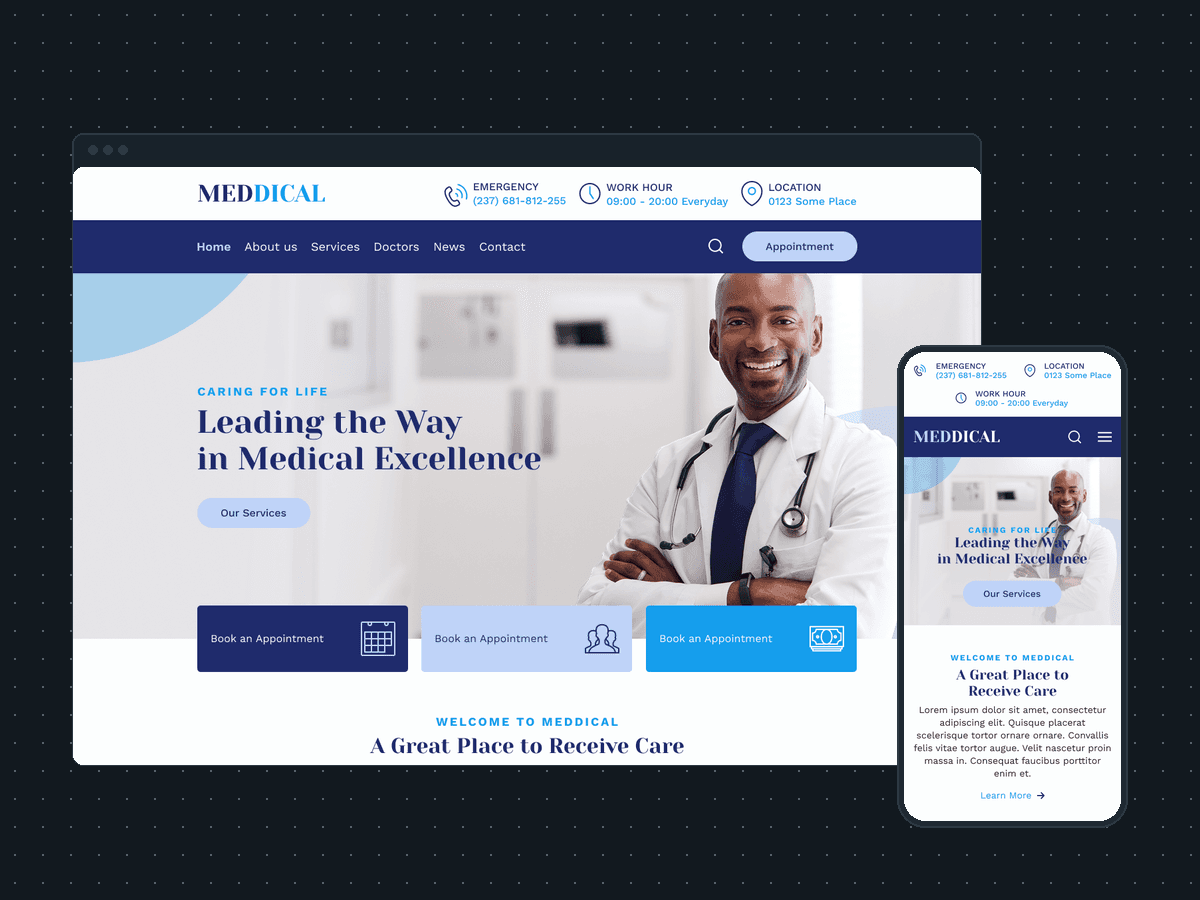
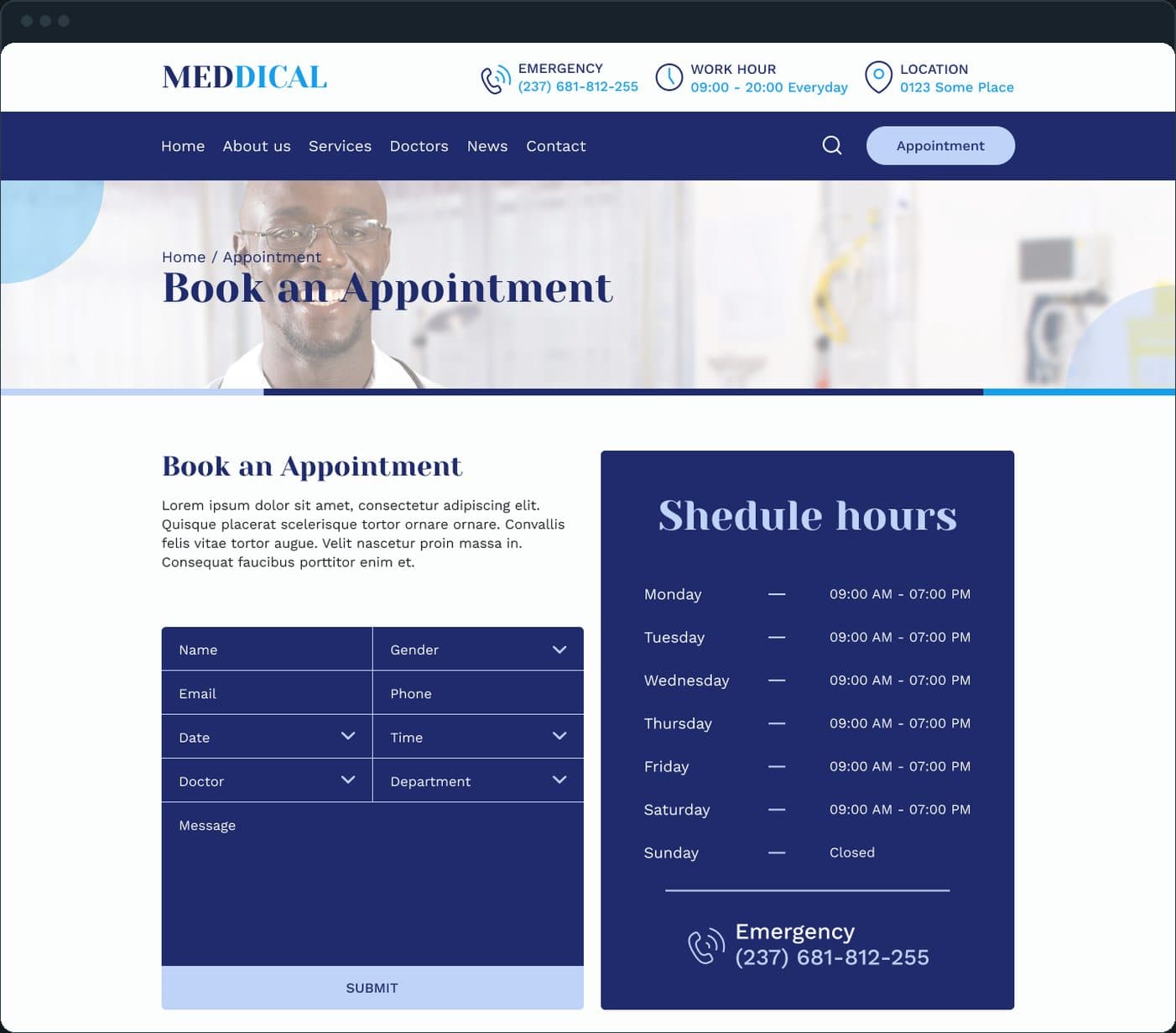
From the Appointment button in the header of every page, or from the three Book an appointment tiles under the home hero. The form takes name, gender, email, phone, date, time, the doctor and the department, with a message field, and the clinic's hours for each day of the week sit beside it. The request lands with the front desk in the CRM.

Doctors' clinic website: How does a patient book an appointment?

How does a patient choose a doctor?

The Doctors page lists each doctor as a card: the photo, the name, the specialty and a View profile link, with the doctor's social links under it, six to a page.

Doctors' clinic website: How does a patient choose a doctor?

Where do the services live?

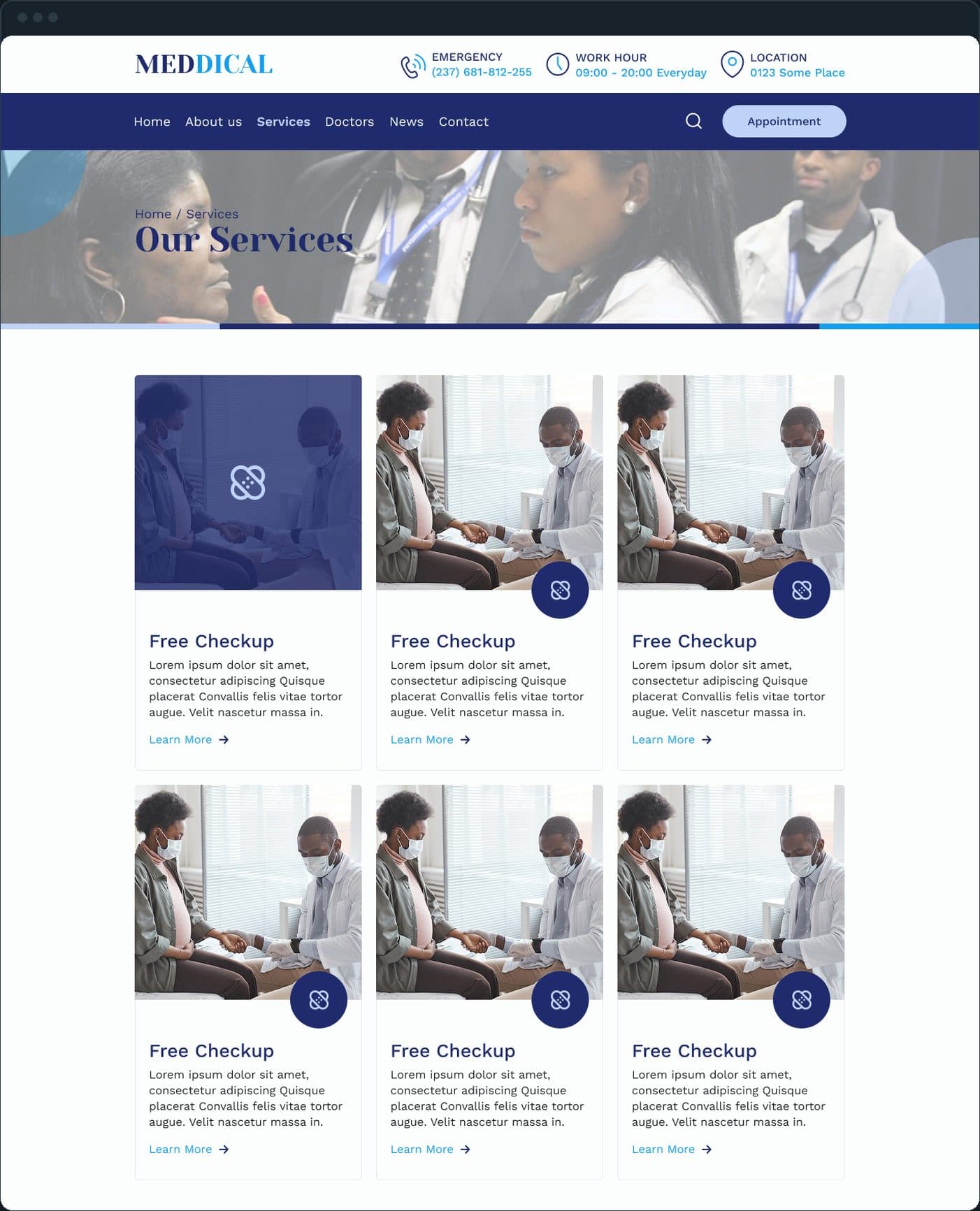
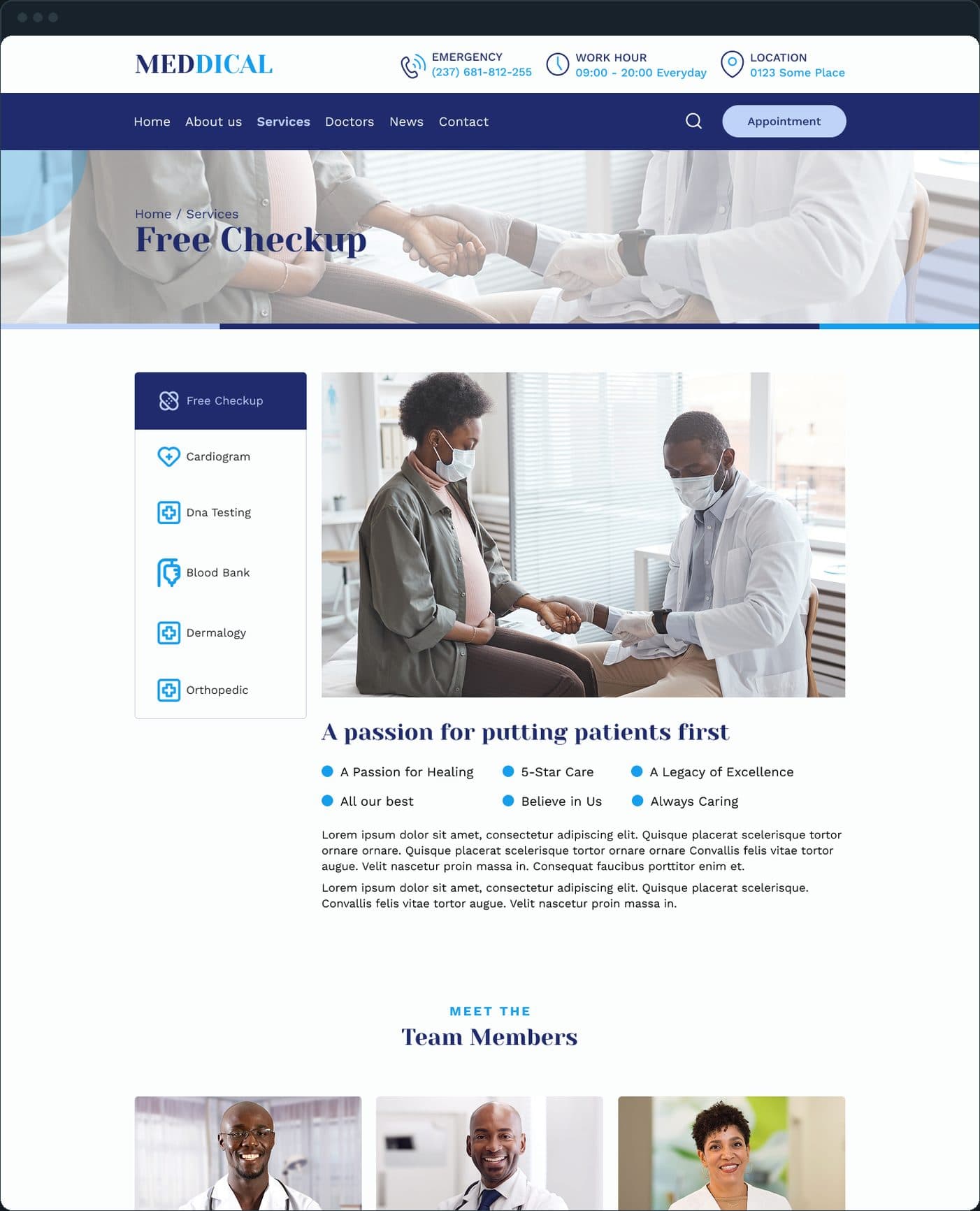
Each service has its own page. The Services page is a grid of six service cards with a photo and a Learn more link; a single service page keeps the list of services in a left rail (free checkup, cardiogram, DNA testing, blood bank, dermatology, orthopedic), so a patient moves between them without going back.

  • Doctors' clinic website: Where do the services live?
  • Doctors' clinic website: Where do the services live?

What does the home page say first?

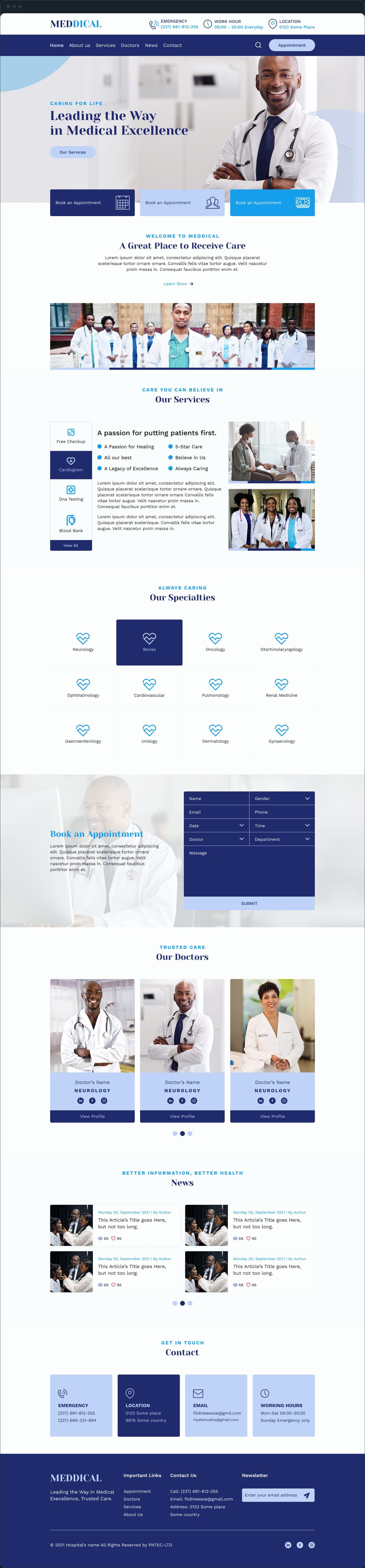
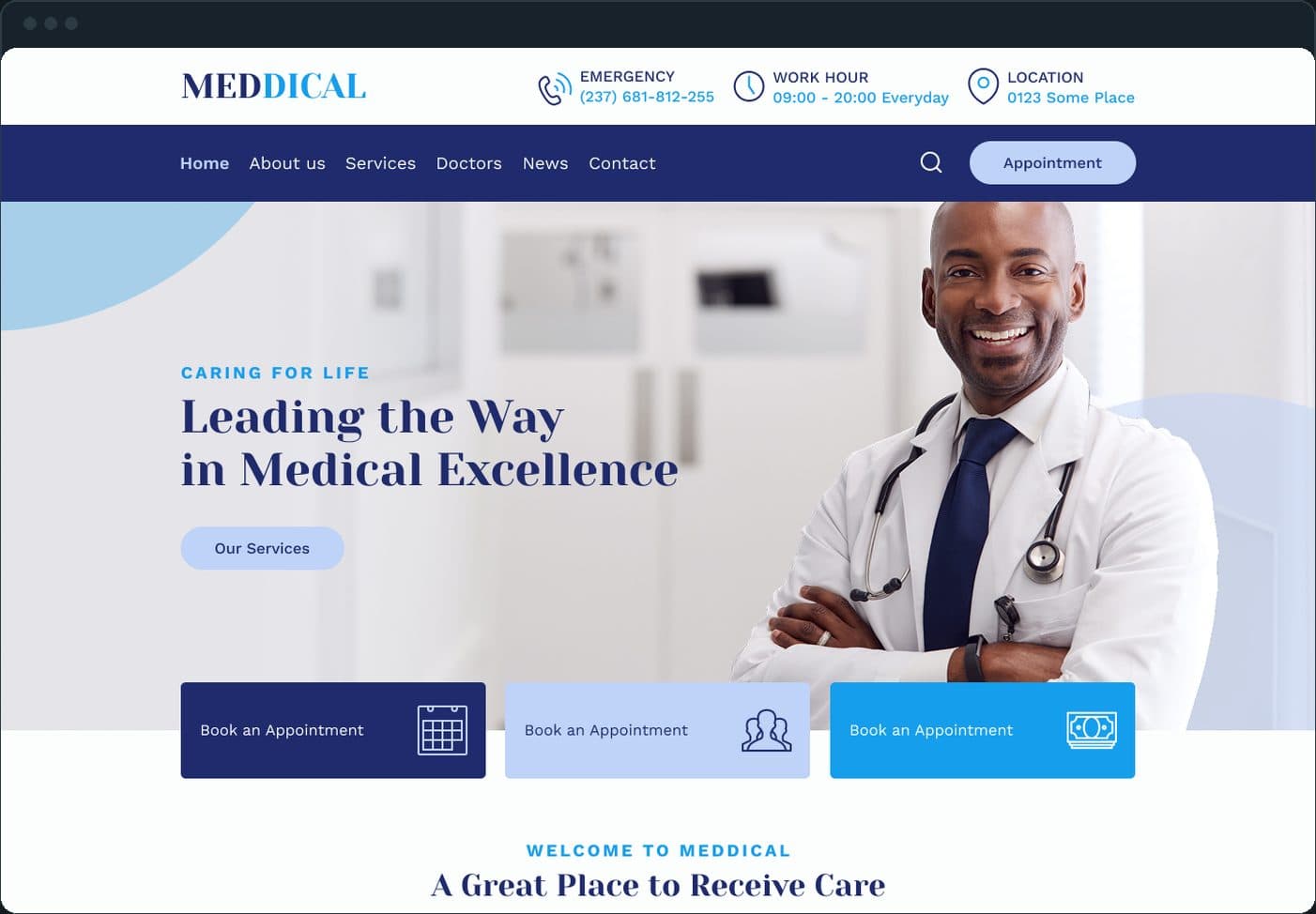
The header carries the emergency number, the work hours and the location above the menu, so the three things a patient calls about are on every page. Then the hero with one call to action, the three booking tiles, a welcome section, the services, the doctors and the news, top to bottom.

Doctors' clinic website: What does the home page say first?

What about news and contact?

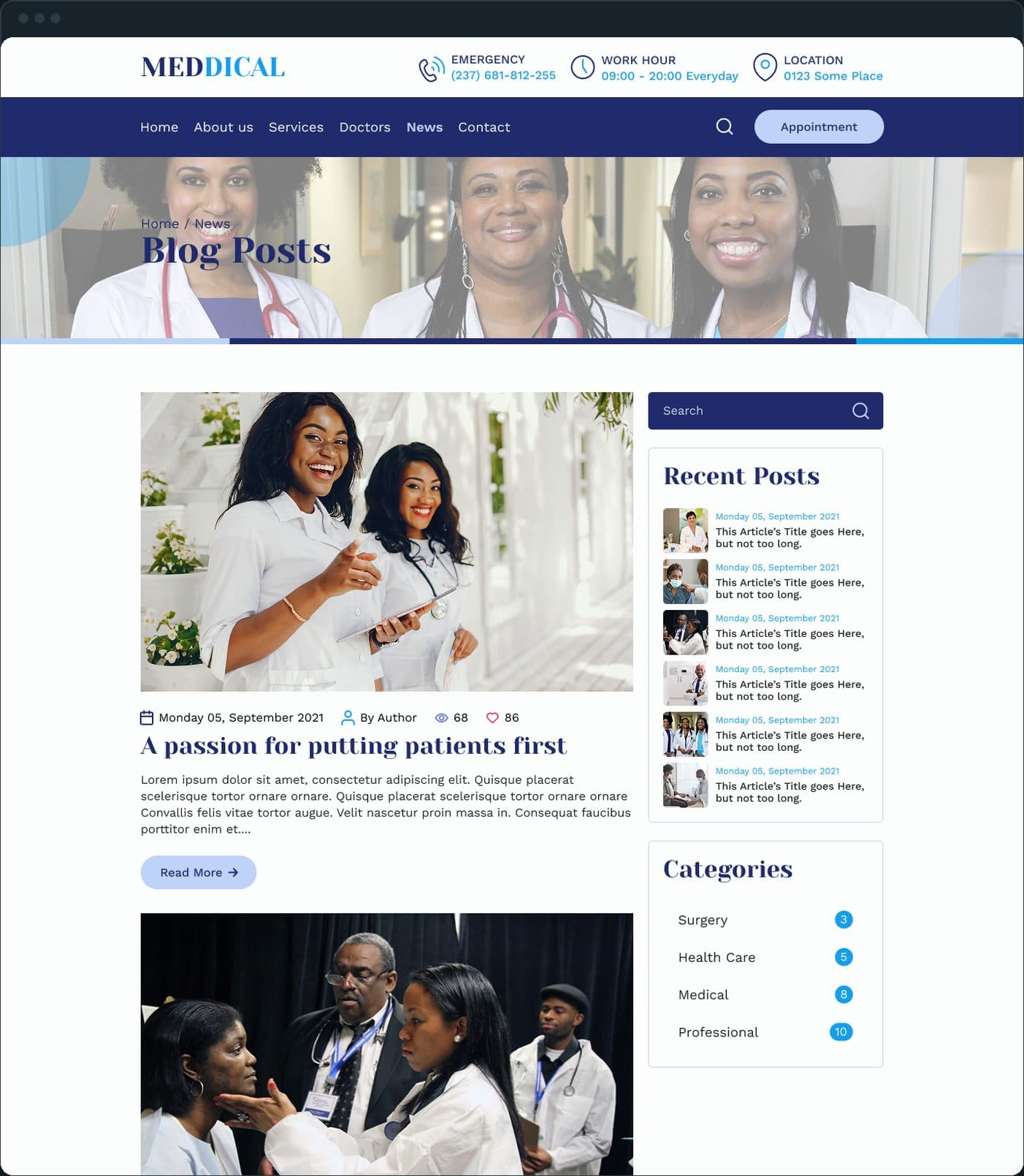
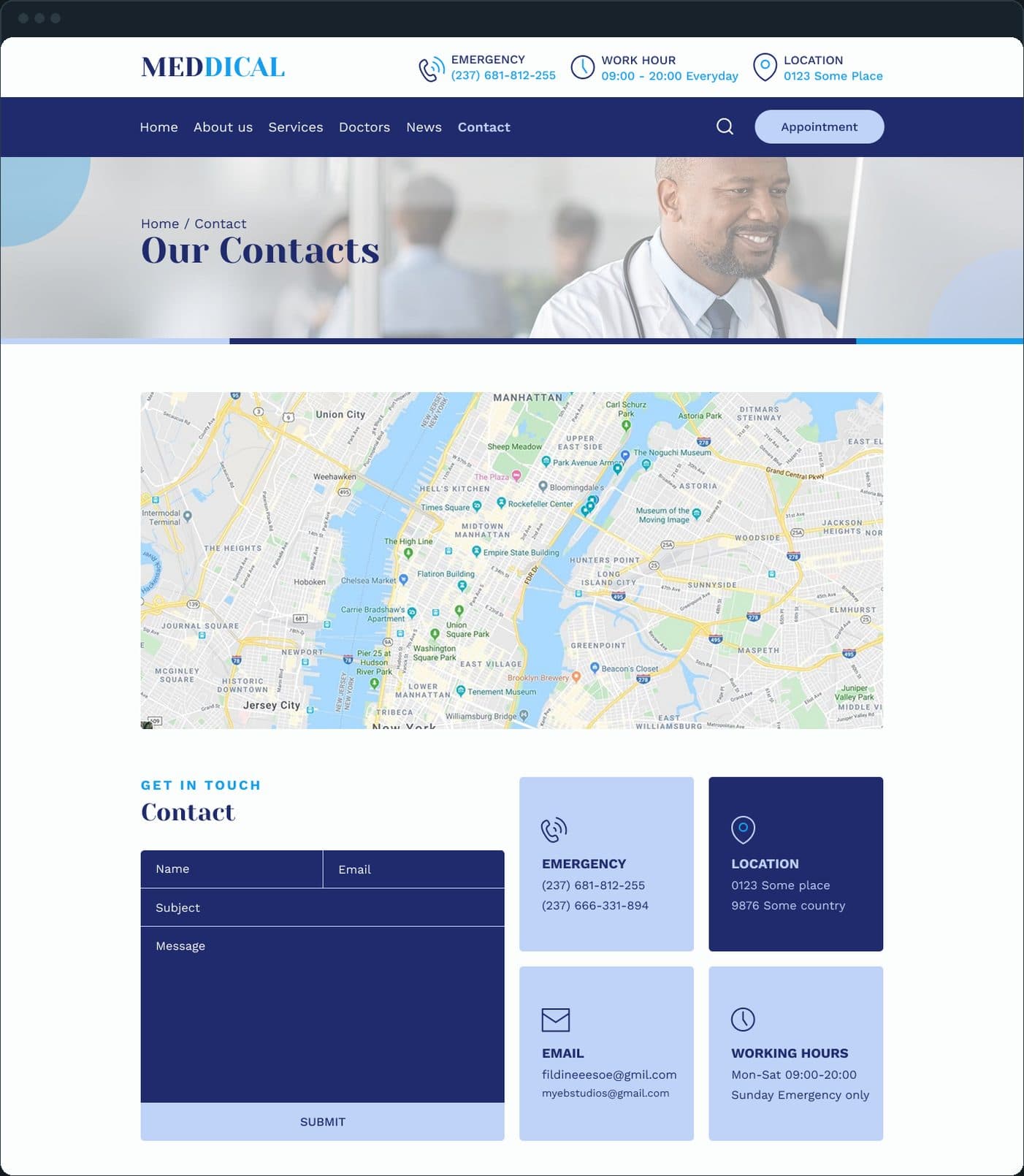
News is a blog with a search box, the recent posts and the categories in a right rail, and each post has its own page. Contact has the map, a form and four tiles: emergency, location, email and working hours.

  • Doctors' clinic website: What about news and contact?
  • Doctors' clinic website: What about news and contact?

Does it work on a phone?

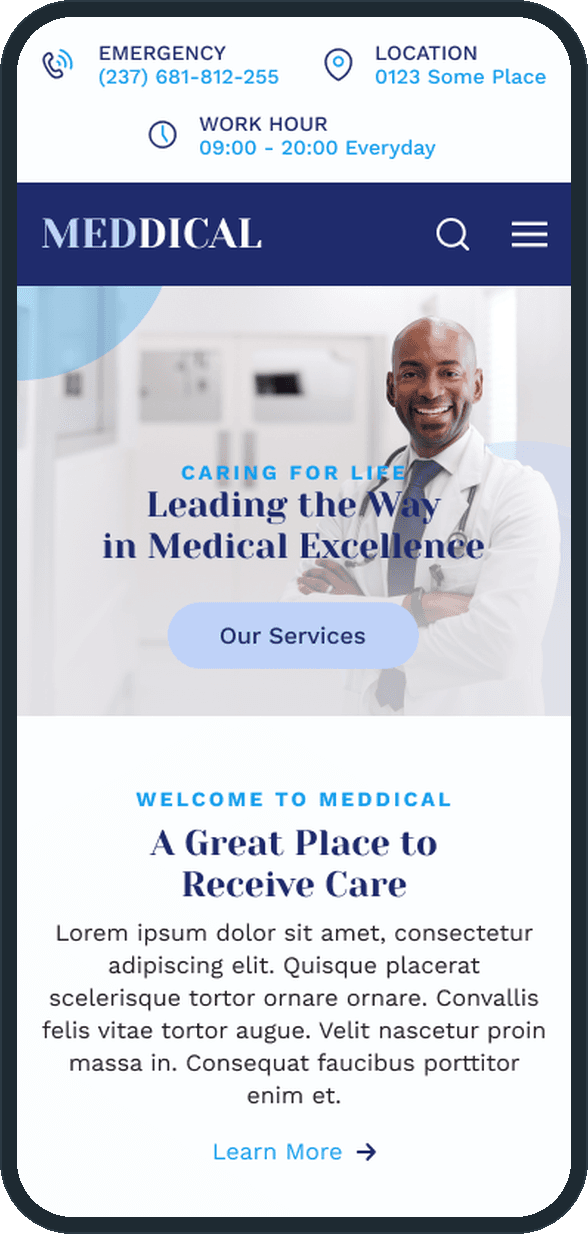
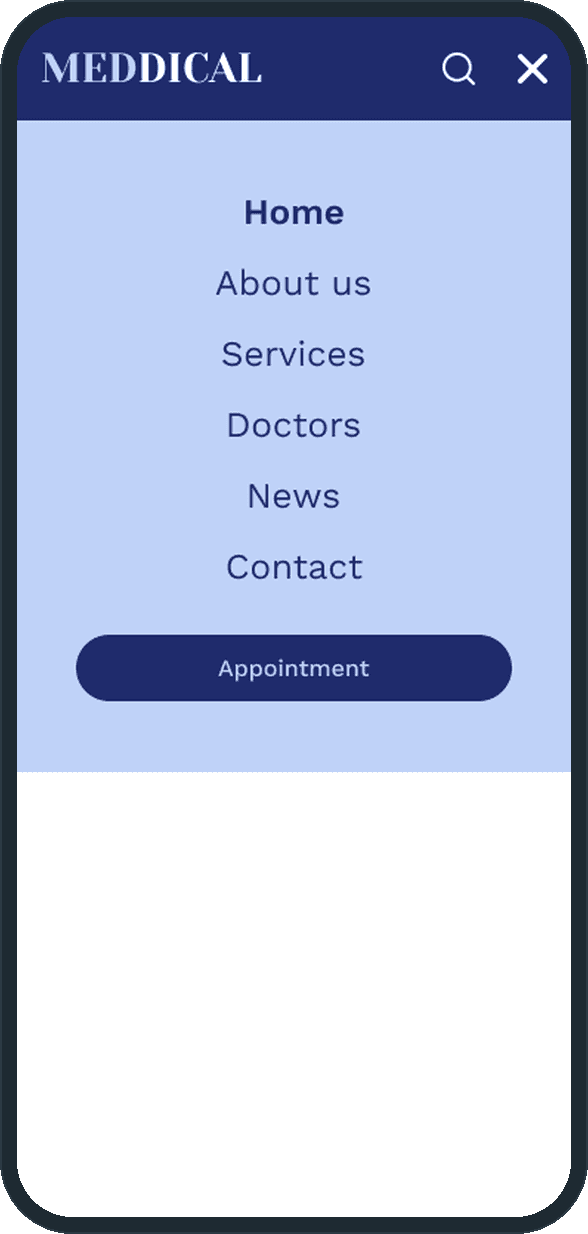
Yes. The phone layout stacks the same home page, and the menu opens as a full-screen list with the Appointment button at its end, so booking is one tap from any page on a phone too.

  • Doctors' clinic website: Does it work on a phone?
  • Doctors' clinic website: Does it work on a phone?

The decisions

  • The appointment button is in the header on every page.

    A patient who has decided to book should not have to look for where. The button is the one filled control in the header, next to the search.

  • The hours sit next to the form.

    The booking form has the clinic's schedule beside it, day by day, so nobody asks for a slot on a day the clinic is closed.

  • Services and doctors get their own pages.

    Each is a page a search engine can index and a patient can send to someone: a service with its own URL, a doctor with a profile.

What was the outcome?

Designed and built

One outcome per item, dated, or not disclosed: never an estimate.

More screens

  • Doctors' clinic website
  • Doctors' clinic website
  • Doctors' clinic website

Common questions

What pages does the clinic website have?

Nine on desktop: home, about us, services, a single service, doctors, appointment, contact, news and a single news post, plus the phone layout of the home page and the phone menu.

Did Plainbuilt build the clinic website?

Yes. Plainbuilt designed and built the site and the CRM behind its appointment form, full stack. An appointment request from any page lands with the front desk in that CRM.

Can Plainbuilt build a website like this for a clinic?

Yes: a website for a service business with booking on every page, wired into the CRM the clinic already runs. Book a working session and bring the list of services and doctors.