Skip to content

Searchables: buyers post what they want, sellers bid

Web app development for Searchables, a reverse marketplace: 24 screens, a buyer and a seller dashboard, bidding, offers and chat, built in under 6 months.

Searchables

The engagement

Client
Searchables
Industry
Online marketplace
Year
To follow
Duration
Under 6 months
Delivered
24 screens, web app: a landing page, a buyer dashboard and a seller dashboard with posting, bidding, offers, chat, payments and subscriptions, built full stack
Stack
To follow
Role
Full-stack development: design and build of the web app

Searchables is a marketplace turned around: the buyer posts what they want to buy, and the sellers come to them and bid. Plainbuilt designed and built it full stack and delivered it in under 6 months: 24 screens on the web, a landing page, a buyer dashboard and a seller dashboard, with posting, bidding, offers, chat, payments and verification. The design rests on one line from the landing page: post what you want, then let the sellers come to you.

Who is Searchables for?

Two crowds. Buyers who know what they want (the category bar runs Cars, Motorcycles, Mobile Phones, Scooter, Laptop, PC and iPhone) and would rather post it once than search for it. And sellers, each with a shop profile, who want to see demand and bid on it. Every request carries a pincode, so a seller sees where the buyer is before bidding.

What was the problem?

The landing page names it: endless searching. On an ordinary marketplace the buyer scrolls listings and hopes the right one appears, and the seller lists and waits. Searchables flips the direction. The buyer states the want once, with a category and a price, and the sellers do the searching and compete for it.

What did Plainbuilt build?

Three surfaces. The marketing landing page: nav, hero, how it works in three steps, a top sellers gallery, reviews, a mission line, about, a newsletter sign-up and the footer. The buyer dashboard: Home, Find Product, My Products, Message, Wish List, Settings and Account, where a buyer posts a want, opens each offer with Accept, Chat Now and Reject, keeps a wish list, and can rate or report a seller. The seller dashboard: Home, My Listings, Message, Settings and Account, where a seller browses requests by category, places a bid or gives another offer, recommends their own items to a buyer, posts products with up to six images and a sponsor toggle, and manages Payment Method, Transaction History and Subscription (a Premium Plan, banner ads and sponsored listings).

Both sides share messaging: a conversation list with unread and typing states, and a thread where the offer travels as a product card with Accept and Reject, under a verified badge and an online dot. Settings covers changing the number and email, deactivating the account behind a confirm popup, and the terms. The Account page was also built for a phone screen: a hamburger menu, search, a location bar and a categories chip.

Why does a seller see the other bids?

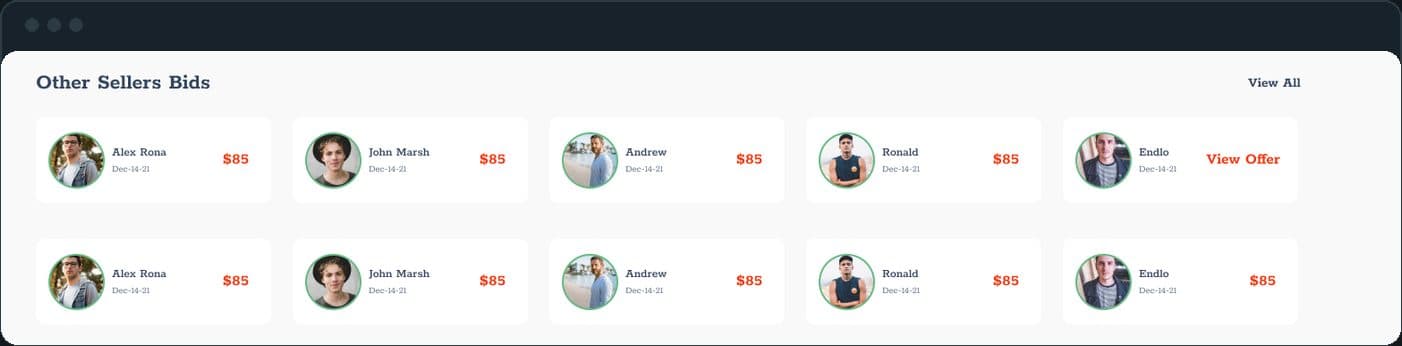
Because a closed auction makes a buyer wait and a seller guess. The Other Sellers Bids row shows every bid on a request with the seller's name, date and amount, and a View Offer link. A seller decides whether to place a bid or give another offer with the room in view. It is the one screen the marketplace turns on, so it sits on the request page itself, not behind a tab.

What is Searchables?

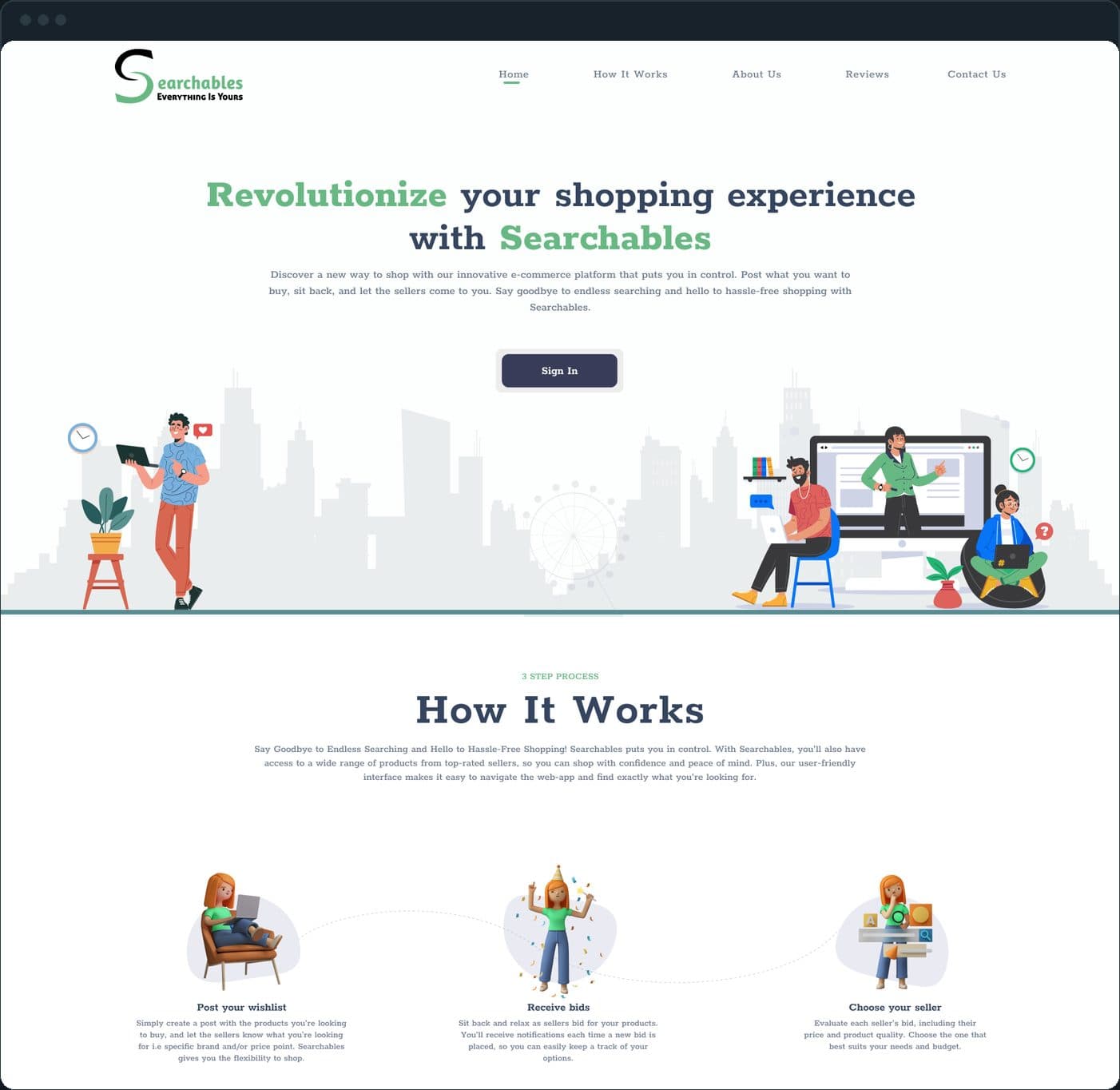
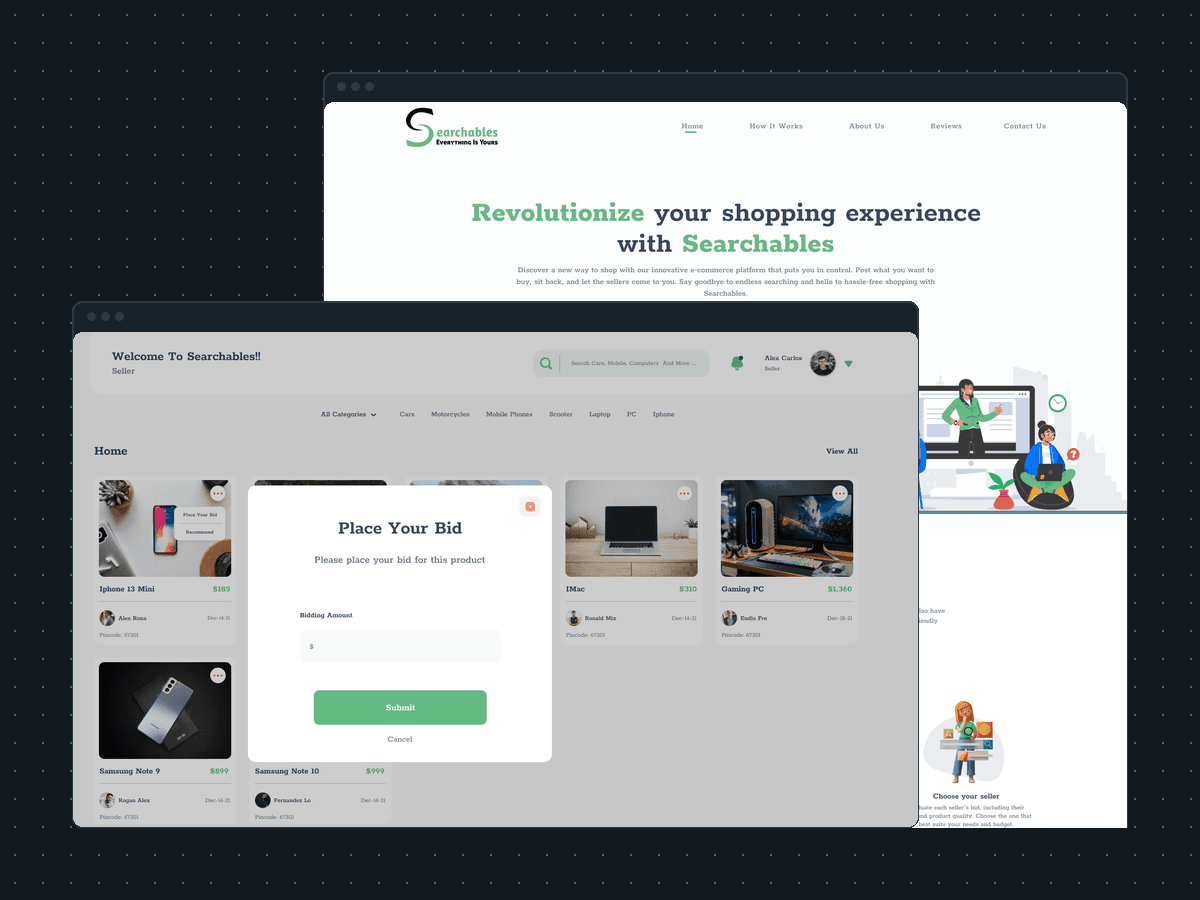
A marketplace turned around. The buyer posts what they want to buy; the sellers come to them and bid. The landing page says it in three steps: post your wishlist, receive bids, choose your seller. Above them sit the headline, one Sign In button and a city skyline with buyers and sellers at their laptops.

Searchables: What is Searchables?

How does a seller bid on a buyer's request?

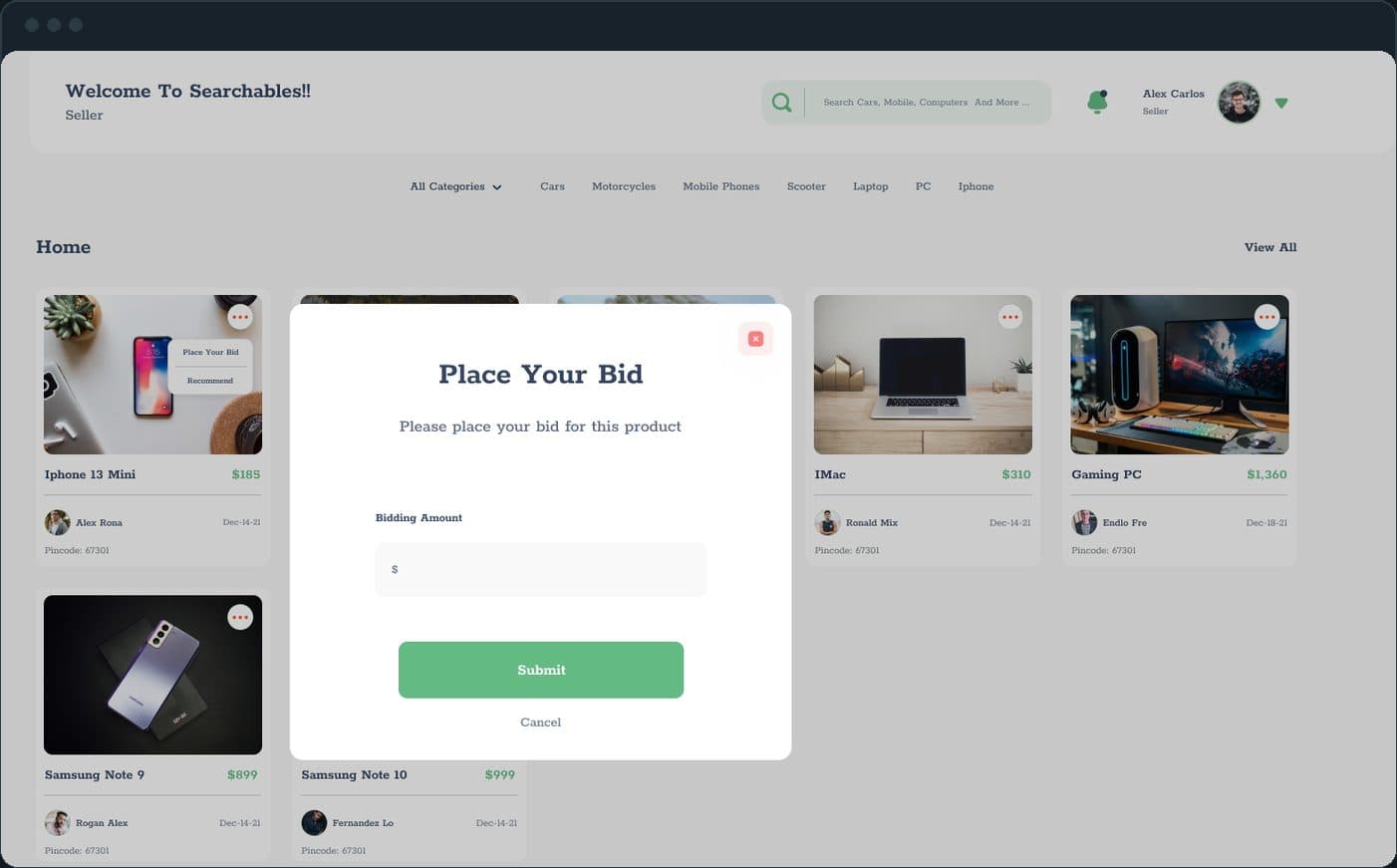
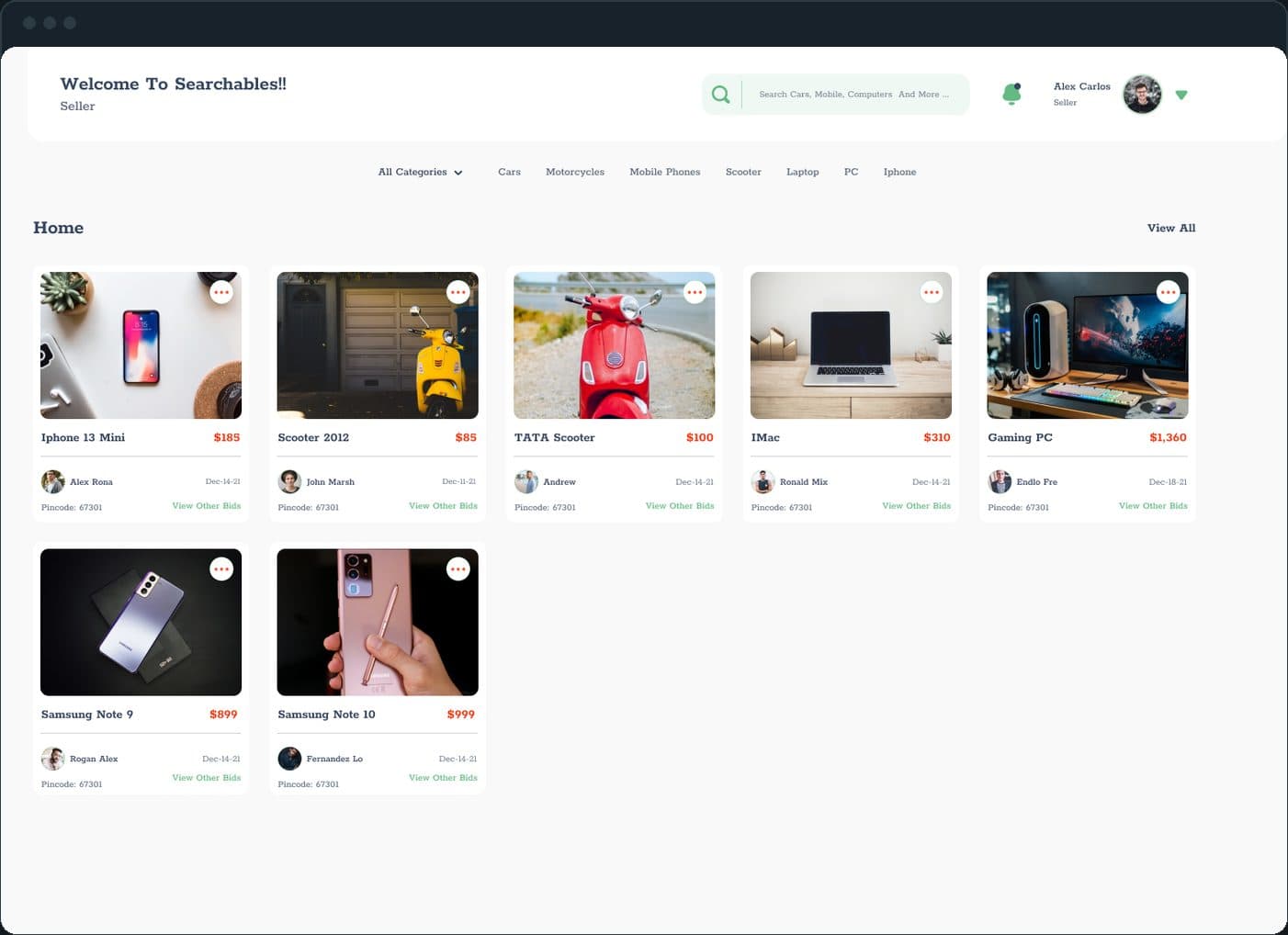
From the seller home, a card's menu opens Place Your Bid: one dollar field, Submit and Cancel. On the request itself the seller has two buttons, Place Your Bid and Give Other Offer, and under them the Other Sellers Bids row: every other seller's name, date and amount, and a View Offer link. The seller sees the competition before naming a price.

  • Searchables: How does a seller bid on a buyer's request?
  • Searchables: How does a seller bid on a buyer's request?

How does a seller list a product and get paid?

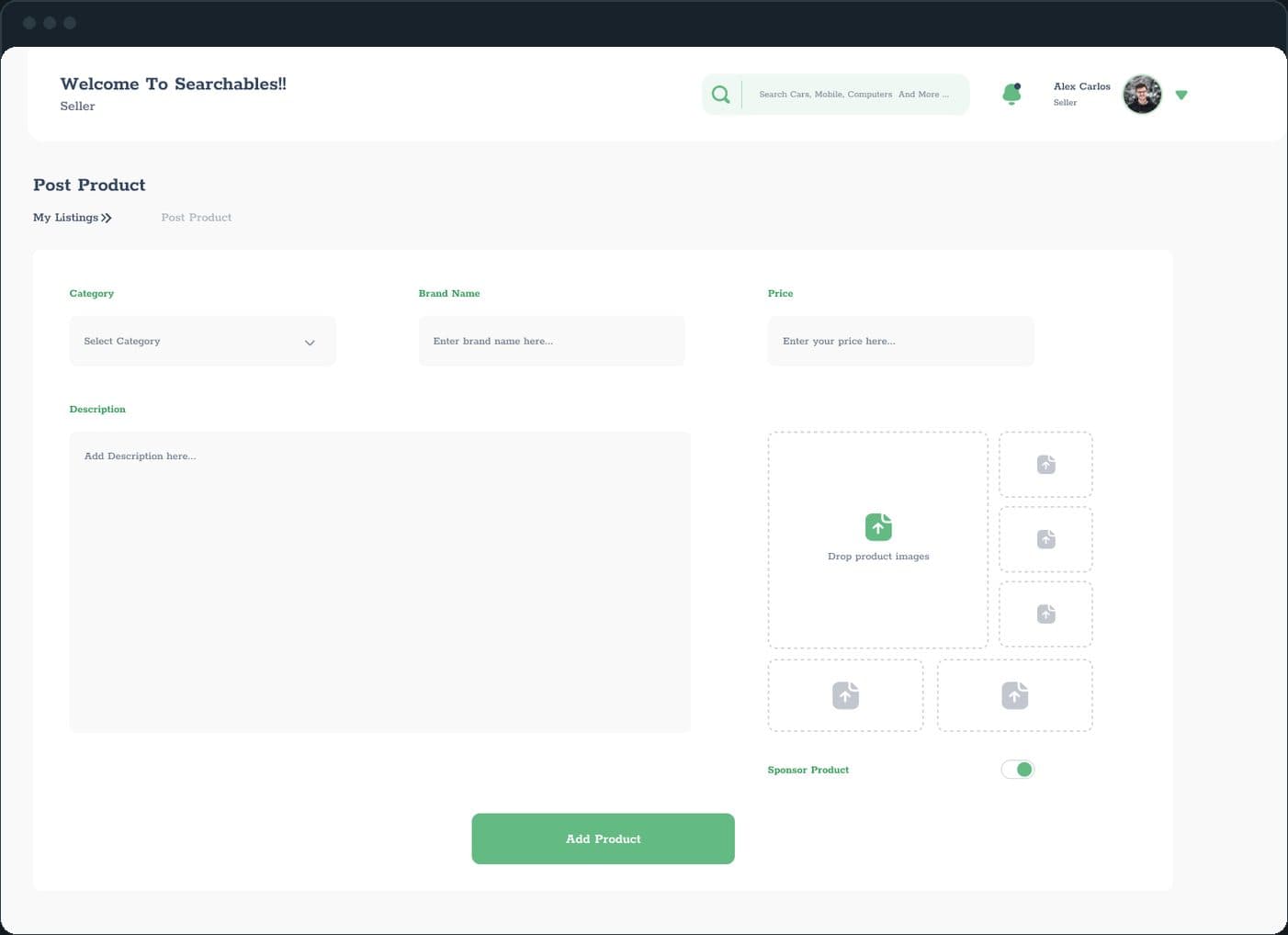
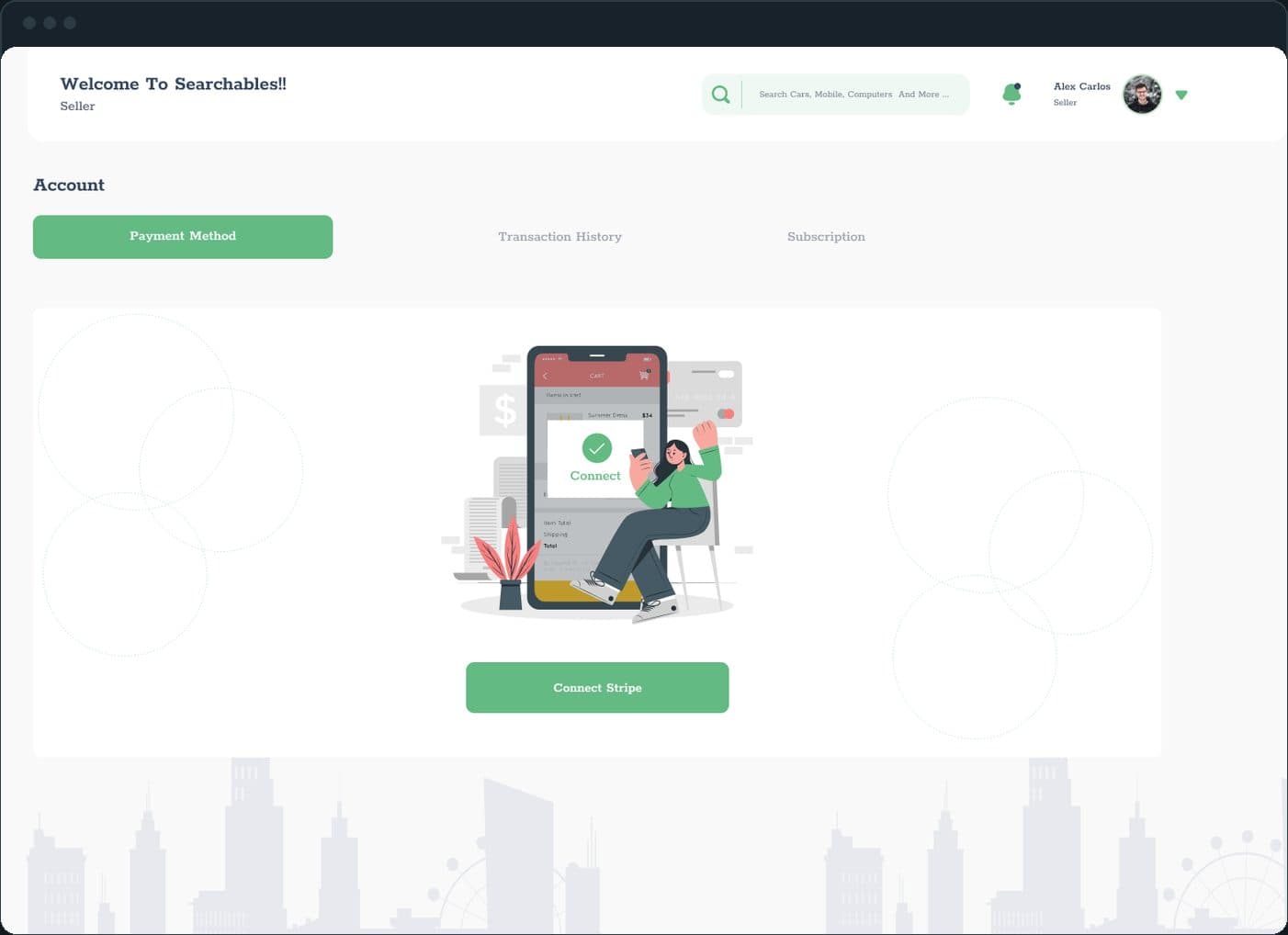
Post Product takes a category, a brand name, a price, a description and up to six images, with a Sponsor Product toggle above the Add Product button; a sponsored item carries a ribbon on the buyer's home. Under Account, the Payment Method tab is one button, Connect Stripe, next to Transaction History and Subscription.

  • Searchables: How does a seller list a product and get paid?
  • Searchables: How does a seller list a product and get paid?

How are sellers verified?

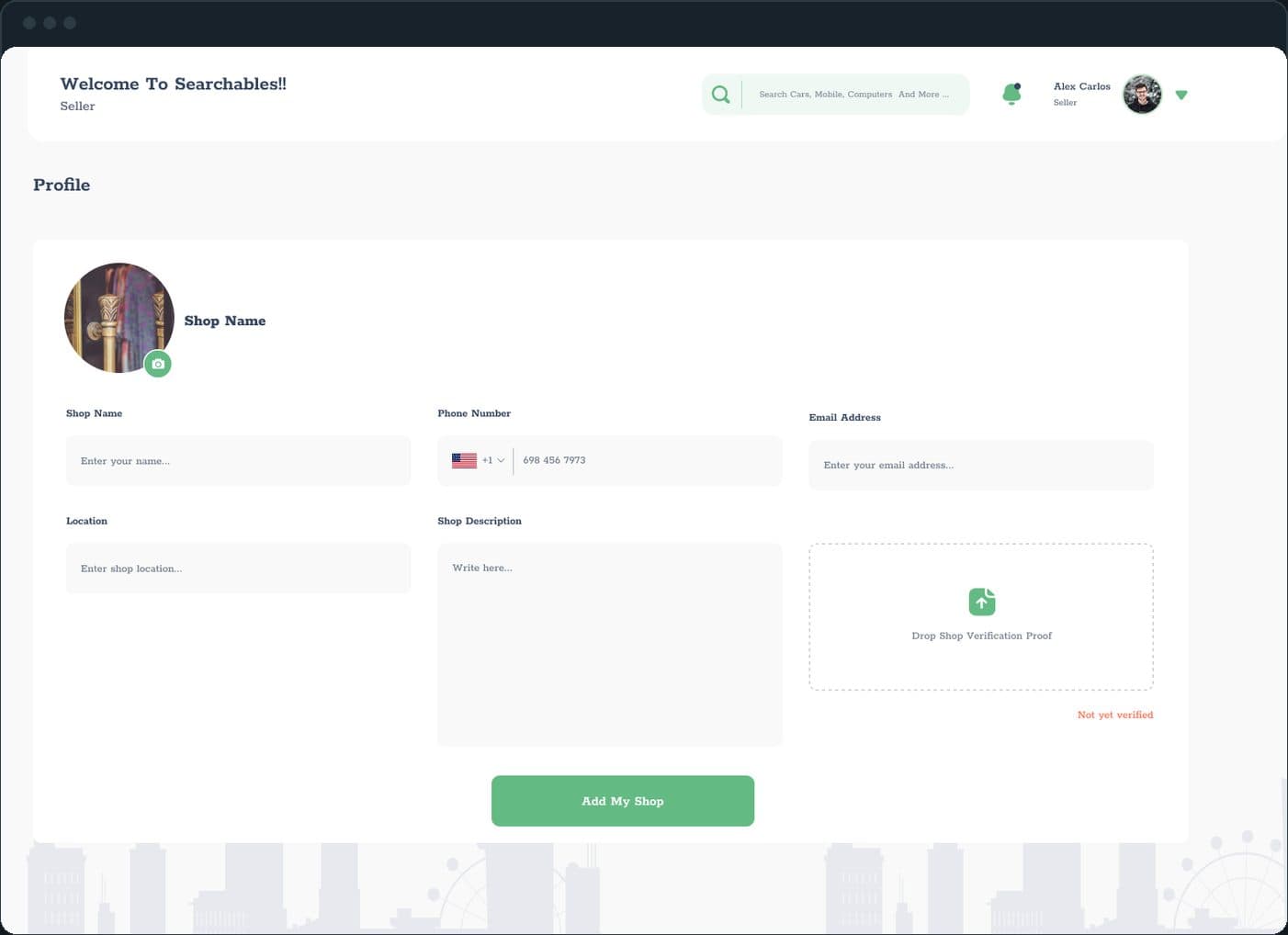
The shop profile asks for a shop name, a phone number with a country code, an email, a location, a description and a Drop Shop Verification Proof box. Its status reads Not yet verified in red until the proof is approved. A verified seller then shows a blue check beside their name and a star rating on the profile card a buyer sees.

Searchables: How are sellers verified?

How does a deal end?

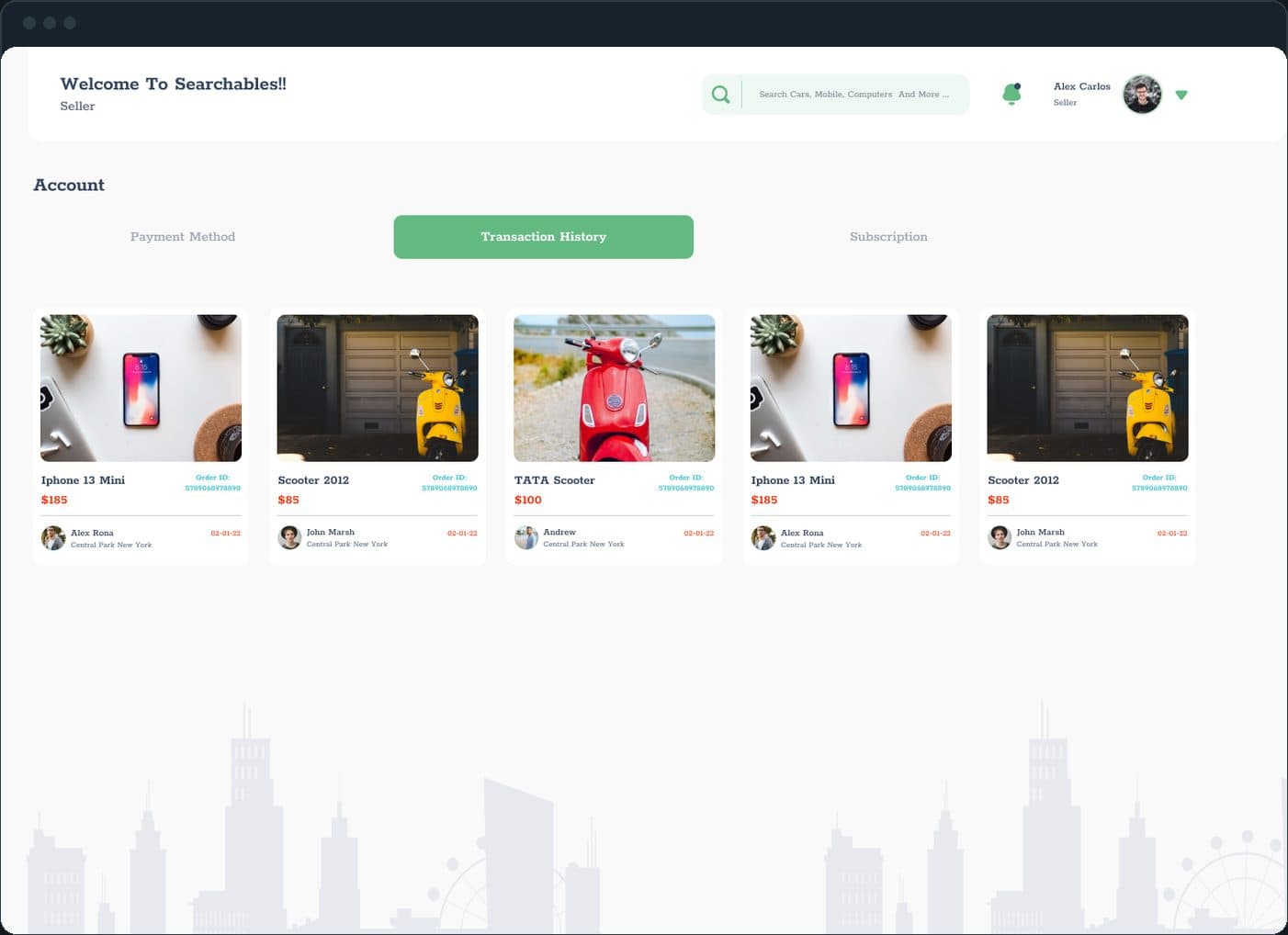
Every closed deal lands in Transaction History under Account: one card per order with the item, its price, an Order ID, the buyer and the date. The buyer's side of the same tab carries a form to report an issue with an order, and the buyer can rate the seller with five hearts or report them.

Searchables: How does a deal end?

The decisions

  • The buyer posts, the seller comes to them.

    The seller's home is a grid of what buyers want, not a catalog of what sellers have: each card is a request with the poster, the date and a pincode. The direction of the marketplace is set on the first screen after sign in.

  • The competition is in the open.

    Under every request, the Other Sellers Bids row lists who else bid and for how much. A seller prices against the room instead of guessing, and can answer with a bid or a different offer.

  • Two roles, one header.

    Every dashboard screen opens with the same header: the welcome line with the role under it, Buyer or Seller, one search box and the category bar. A buyer's menu runs Home, Find Product, My Products, Message, Wish List, Settings and Account; a seller's Home, My Listings, Message, Settings and Account. One design carries two products.

  • Verification is a step, not a decoration.

    A seller uploads shop verification proof from the profile form, and the status reads Not yet verified until it is approved. On the buyer's side, the verified check and the star rating sit on the seller's profile card, beside the offer the buyer can Accept, Chat Now or Reject.

What was the outcome?

Built and delivered in under 6 months

One outcome per item, dated, or not disclosed: never an estimate.

More screens

  • Searchables

Which of our services apply

Common questions

Did Plainbuilt build Searchables?

Yes. Plainbuilt designed and built it full stack and delivered it in under 6 months.

What is Searchables?

A reverse marketplace on the web. A buyer posts what they want to buy, sellers bid on it, the two sides chat, and the buyer accepts one offer. Sellers can take a Premium Plan, buy banner ads and sponsor their listings.

Can Plainbuilt build a marketplace like this?

Yes. The same shape: a landing page, two roles with their own dashboards, bidding, messaging, payments and verification, designed and built full stack. Book a working session to scope one.