Skip to content

Sandbar: a swipe-to-match app for content creators

Sandbar, a content-swap app for creators: 26 iOS screens, a like-and-skip card stack, a Creators Who Like You grid, plans and settings, built in under 6 months.

Sandbar

The engagement

Client
Sandbar
Industry
Content creators and influencers
Year
To follow
Duration
Under 6 months
Delivered
26 screens, iOS, sign-up and verification, the Explorer card stack, likes, profiles, plans and settings, built full stack
Stack
To follow
Role
Full-stack development: design and build of the mobile app

Sandbar is an iPhone app where influencers and content creators swap content shoots: like a creator, send a content swap request, and, once accepted, message and film each other's content. Plainbuilt designed and built it full stack and delivered it in under 6 months: 26 iOS screens, from sign-up through the Explorer card stack, likes, profiles, plans and settings. One line carries the design: a like is a request to shoot, and the app says so before it is sent.

Who is Sandbar for?

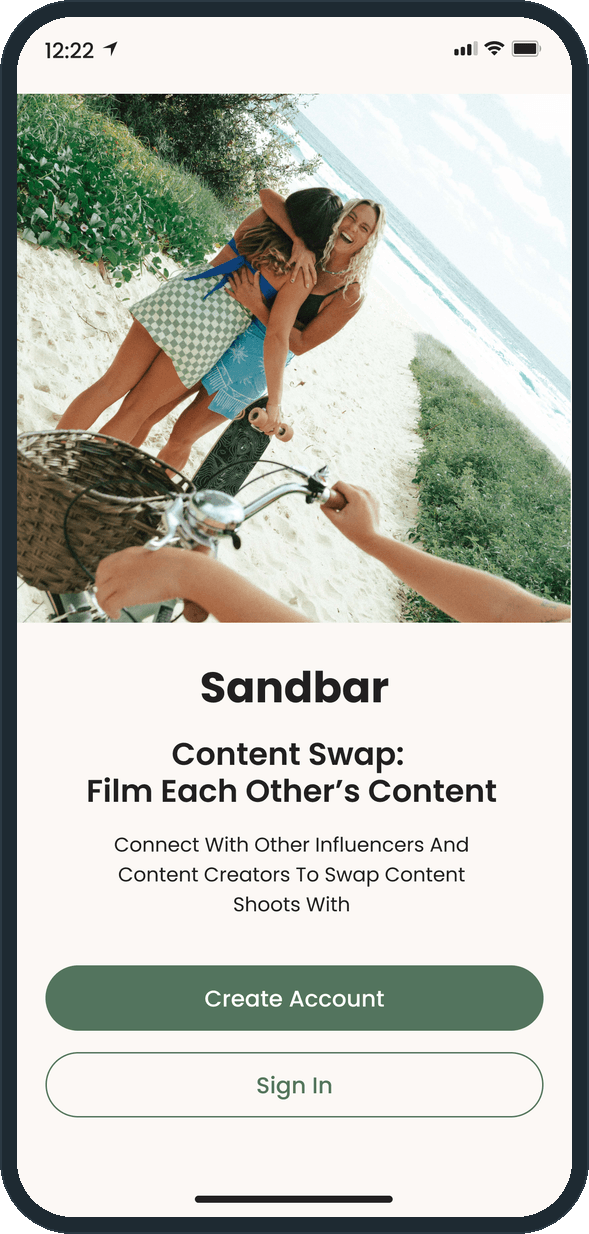
Influencers and content creators who want someone to film their content and will film in return. The welcome screen puts it in one line: Content Swap: Film Each Other's Content. Each creator lists a city and the specialties they shoot, so a match is a person nearby who can hold the camera for the kind of content the other makes: iPhone stills, iPhone videography, YouTube video, reels or DSLR photos.

What did Plainbuilt build?

The full app, 26 screens on iOS, front to back. A creator registers with a name, an email, an optional mobile number and a password, then verifies the email and the number with a 6-digit code. The Explorer shows one creator at a time with undo, like and skip; a like or a skip asks for a confirmation, and there is a Review Skipped Profiles state and an Upgrade to Unlimited gate. Creators Who Like You is the grid of everyone who liked the person, filtered by specialty. The profile carries a cover carousel, a verified badge, the city, Instagram, YouTube and TikTok links, a bio, specialty chips and a portfolio; the edit form covers each of those fields. The account side holds settings, change email, change mobile number, reset password, manage membership, the plan picker, a promo code sheet, payment by card, Apple Pay or PayPal, report a creator, help with delete account, the privacy policy, the terms and logout. The tab bar has four items: explore, messages, likes and profile.

What does the swap flow look like?

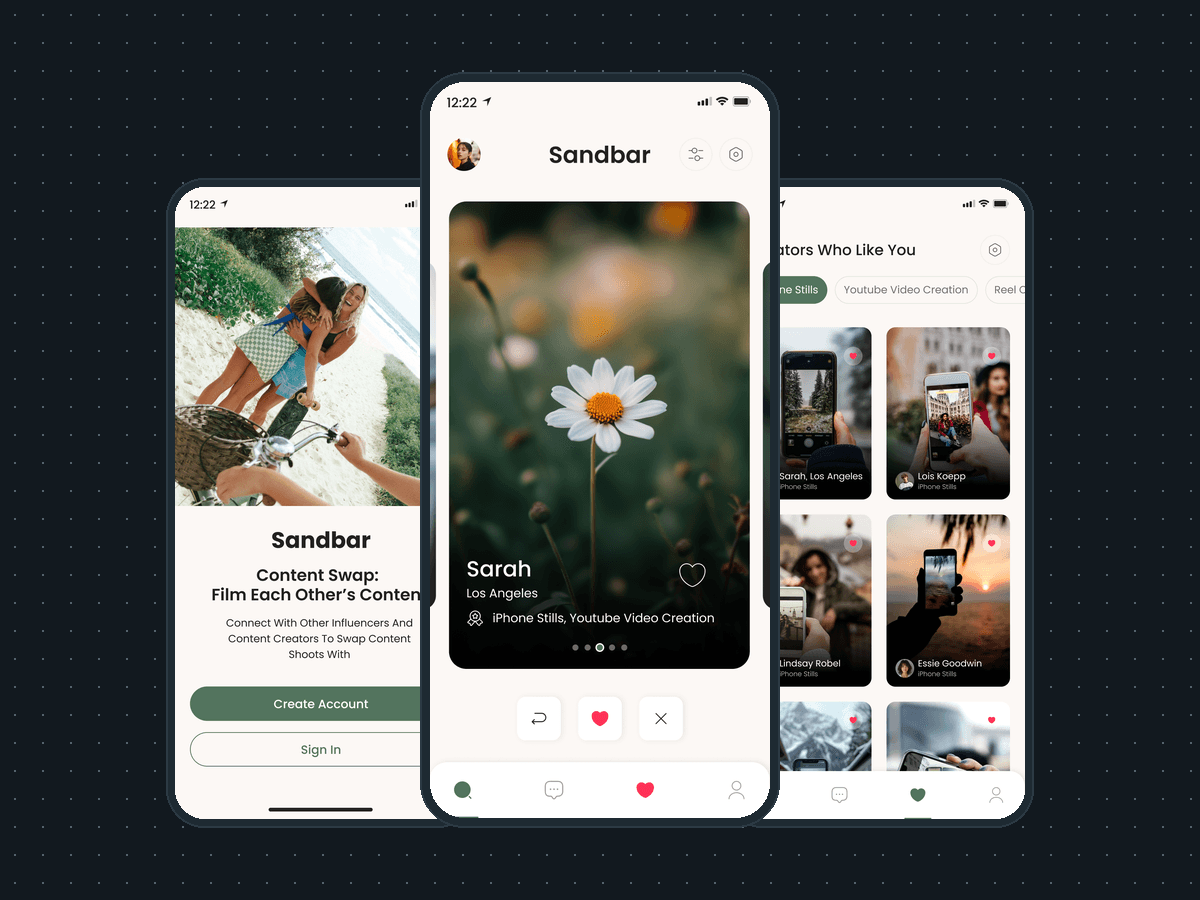
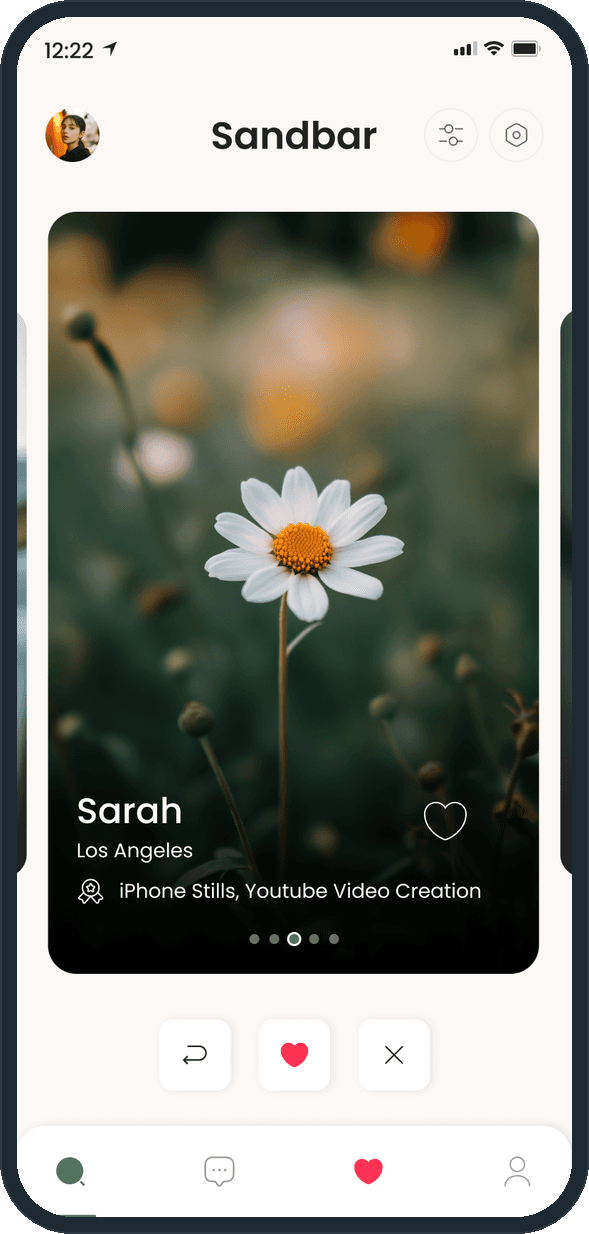
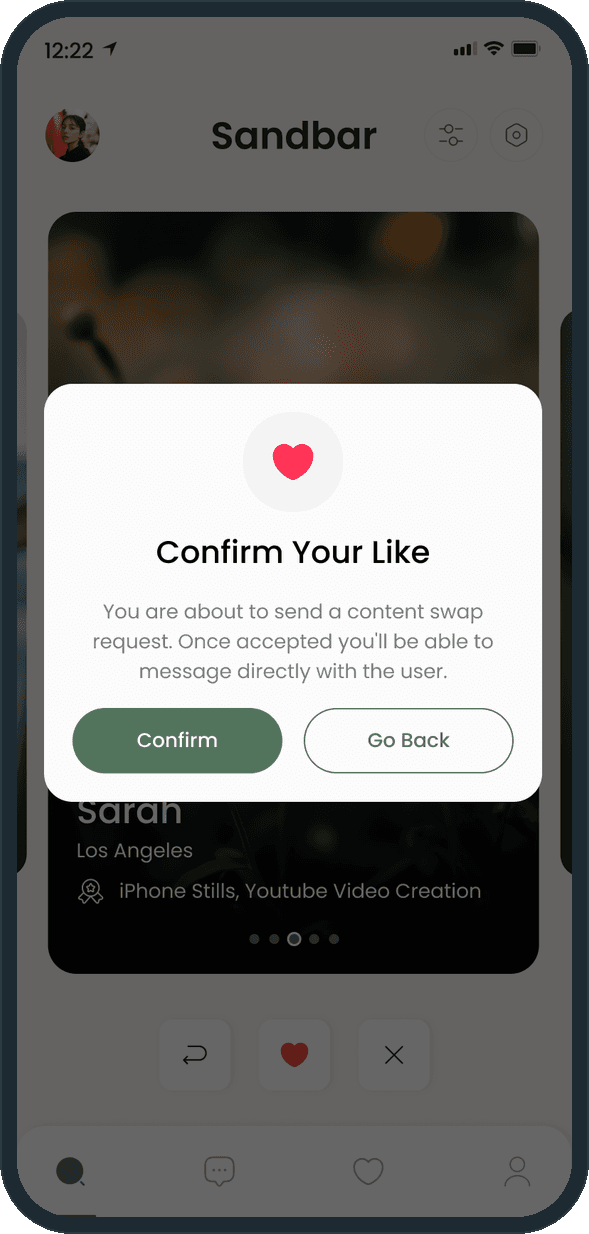
Open the Explorer and one card is up: the creator's photos, name, city and specialties, with undo, like and skip beneath. Tap the heart and Confirm Your Like explains what a like does: it sends a content swap request, and once the other creator accepts, the two can message directly. Tap the cross and Confirm Your Skip does the same for a skip. Every creator who liked the person waits in Creators Who Like You, filtered by the specialty chips, and on the match screen the messages and likes tabs carry a red dot.

Why does a like need a confirmation?

Because on Sandbar a like is a request for someone's time: a content swap, two people filming each other. The dialog says so in the app's words before the request goes out, and a skip gets the same treatment, so neither button fires by accident. The Free plan allows up to 3 likes a day within a 10-mile radius, so each like is worth a pause, and the confirmation keeps a person from spending one on a mis-tap.

How does a creator find someone to swap shoots with?

The Explorer shows one creator at a time: a photo carousel, the name, the city and the specialties, with undo, like and skip in a row beneath the card. A tap on the heart opens Confirm Your Like, which says in the app's own words what happens next: a like sends a content swap request, and once it is accepted the two creators can message each other directly. The confirmation is there because a like here is a request to shoot, and the person should know that before it goes out.
  • Sandbar: How does a creator find someone to swap shoots with?
  • Sandbar: How does a creator find someone to swap shoots with?

How does a creator see who wants to shoot with them?

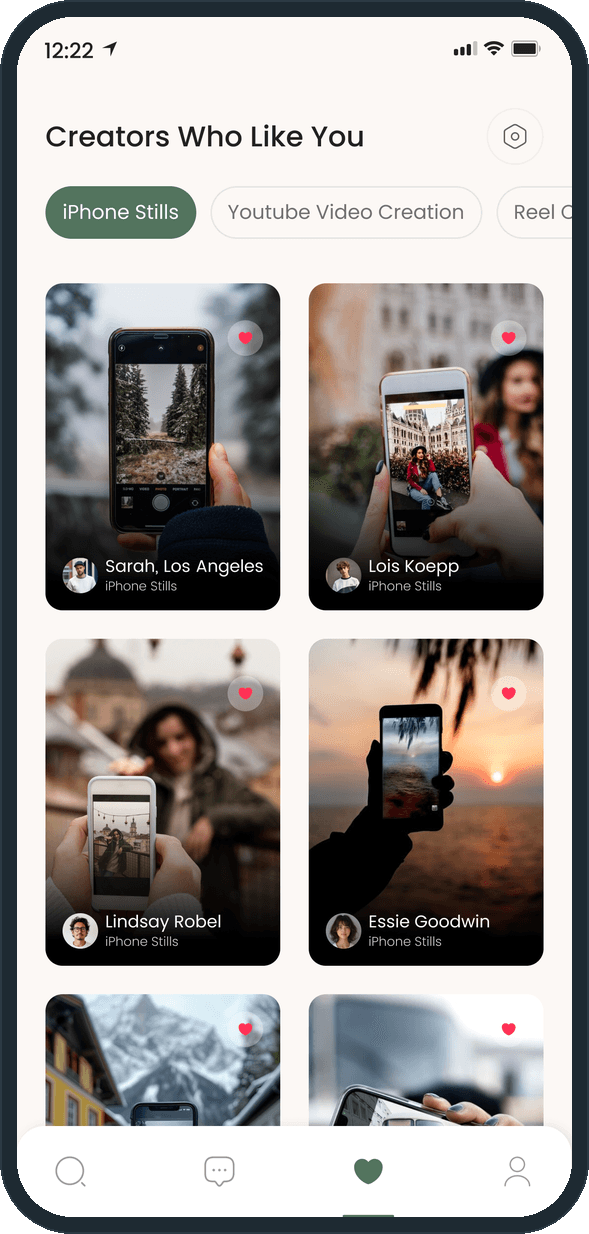
Creators Who Like You lists every creator who liked the person, in a two-column grid of cards with a photo, the name, the city and the specialty. A row of chips at the top filters the grid by specialty, such as iPhone Stills or YouTube Video Creation, so the person filters by what someone shoots rather than by who they are.

  • Sandbar: How does a creator see who wants to shoot with them?

What does a creator profile show?

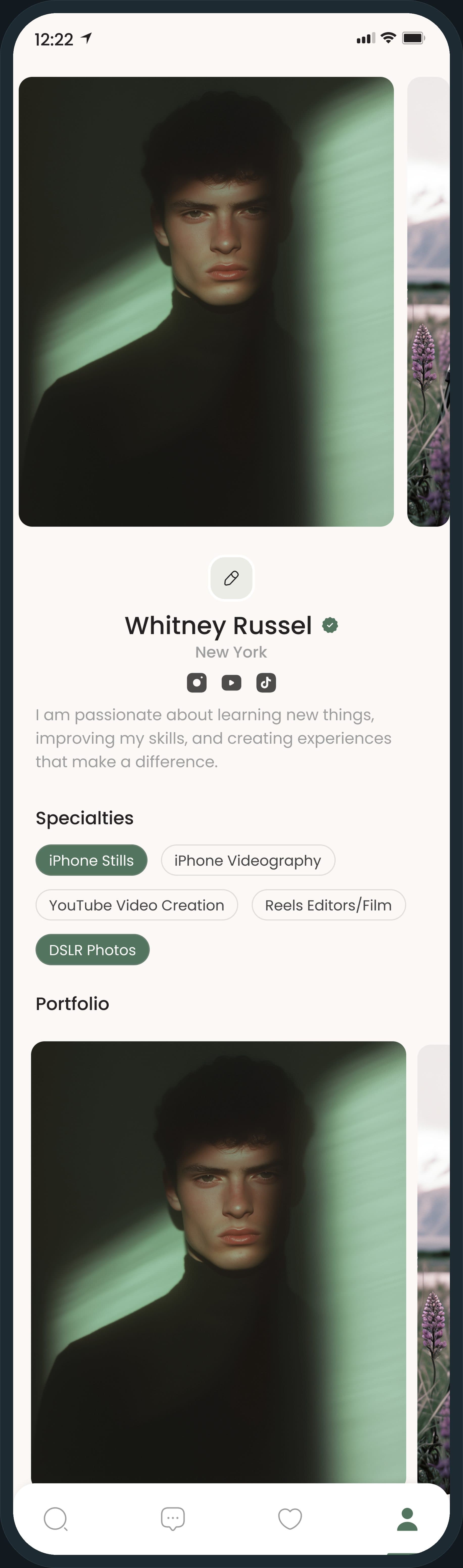
The profile opens on a full-width cover carousel, then the name with a verified badge, the city and the Instagram, YouTube and TikTok links. Under a short bio sit the specialty chips (iPhone Stills, iPhone Videography, YouTube Video Creation, Reels Editors/Film, DSLR Photos) and a portfolio grid of the creator's own work. The chips are the same five specialties that filter the likes grid, so what a creator shoots reads the same everywhere in the app.

Sandbar: What does a creator profile show?

How do the plans work?

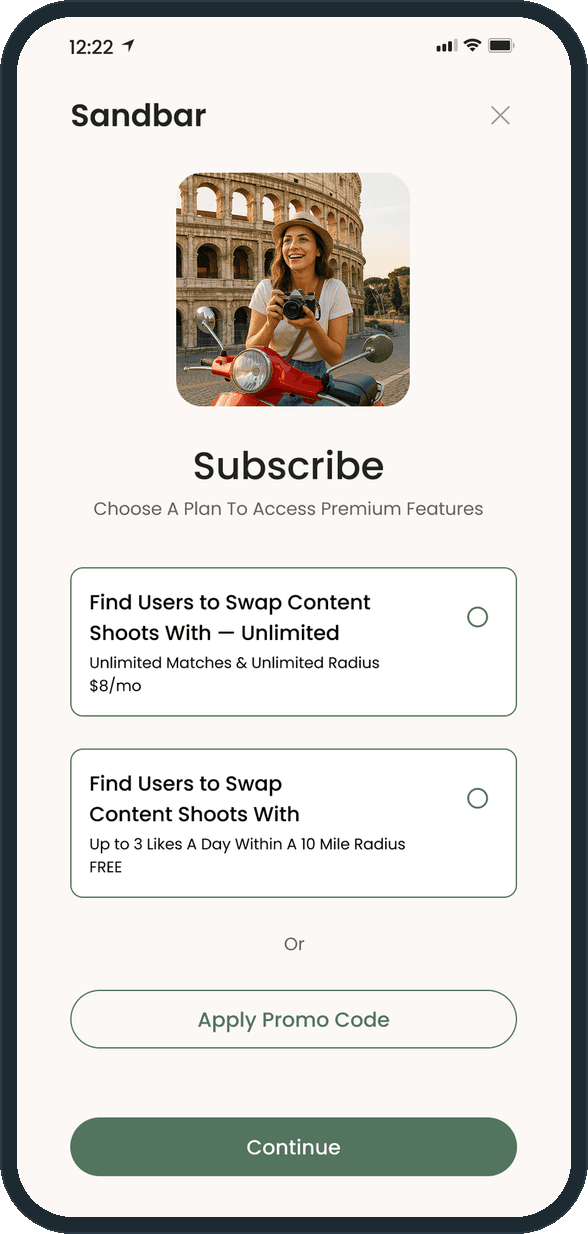
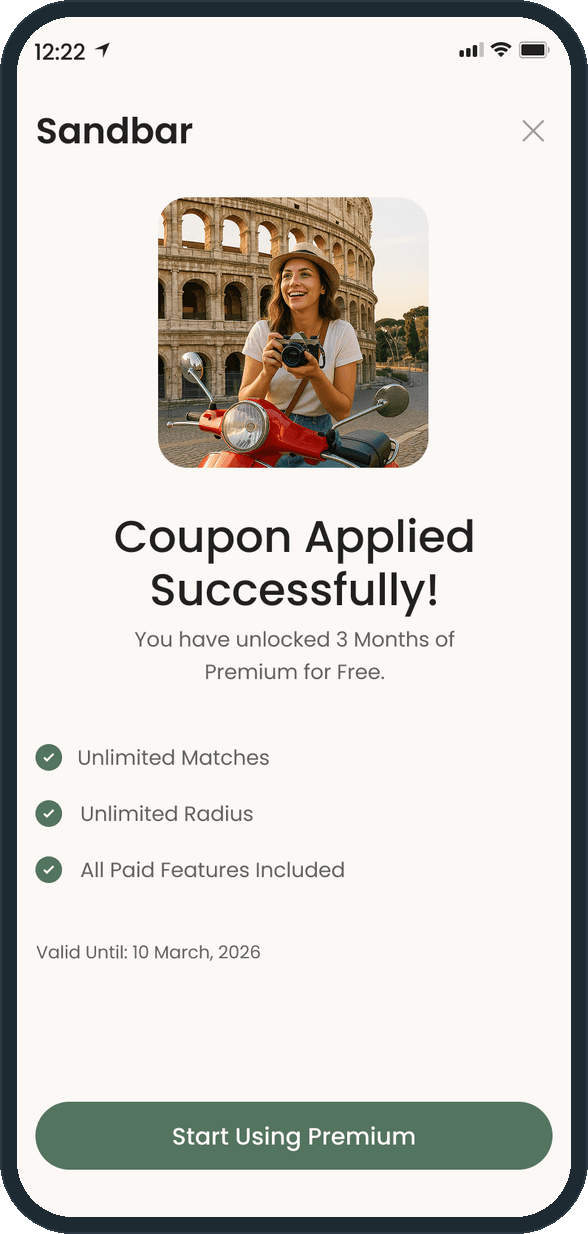
The Subscribe screen offers two plans: Free, with up to 3 likes a day within a 10-mile radius, and Unlimited, with unlimited matches and unlimited radius for a monthly fee. Under the plans, a third path applies a promo code. The coupon screen confirms it in plain terms: 3 months of Premium free, the three benefits with a check mark each, and a valid-until date.

  • Sandbar: How do the plans work?
  • Sandbar: How do the plans work?

What does the account side cover?

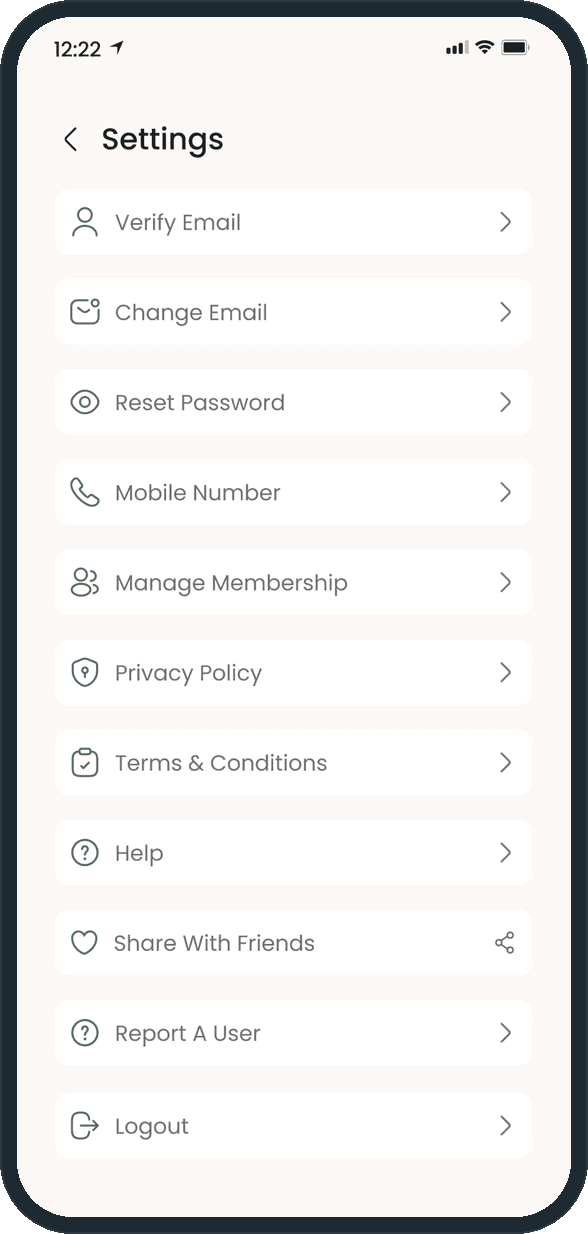
Settings holds the whole account area on one screen, each item on its own row with a line icon: verify email, change email, reset password, mobile number, manage membership, privacy policy, terms and conditions, help, share with friends, report a creator and logout. Change email, change mobile number, reset password and manage membership each open their own screen, one tap from here; logout asks for a confirmation first.

  • Sandbar: What does the account side cover?

The decisions

  • A like is a request.

    The Confirm Your Like dialog names the mechanic before anything is sent: a like is a content swap request, and messaging opens only once the other creator accepts. A skip gets its own confirmation too, so neither tap fires by accident.

  • One card at a time.

    The Explorer shows a single creator: a photo carousel with the name, the city and the specialties, and undo, like and skip in a row beneath. The person decides on one creator, then sees the next; the grid view is kept for the creators who already liked them.

  • Specialties are the common thread.

    Five specialties run through the app: iPhone Stills, iPhone Videography, YouTube Video Creation, Reels Editors/Film and DSLR Photos. They sit on the card, on the profile, in the edit form and as the filter chips on the likes grid, so a creator is found by what they shoot.

  • One green does the work.

    A warm off-white background, a sage green for buttons, chips and the active tab, and a coral heart for the like. The heart is the only accent beyond the green, so the like stands out on every screen it appears on, and the photos carry the rest.

What was the outcome?

Built and delivered in under 6 months

One outcome per item, dated, or not disclosed: never an estimate.

More screens

  • Sandbar

Which of our services apply

Common questions

Did Plainbuilt build Sandbar?

Yes. Plainbuilt designed and built it full stack and delivered it in under 6 months.

What do the 26 Sandbar screens cover?

Sign-up with email and mobile verification, the Explorer card stack with undo, like and skip and their confirmations, Creators Who Like You with specialty filters, the creator profile and edit profile, settings with change email, change mobile number, reset password and manage membership, the plan picker, promo code and payment method, report, help, privacy policy, terms and logout.