Skip to content

Mosaic: a private social app for family and friends

Mobile app development for Mosaic: 15 iOS screens with one feed of albums, moments and events, a family tree and groups, built full stack in under 6 months.

Mosaic

The engagement

Client
Mosaic
Industry
Social apps for families and friend groups
Year
To follow
Duration
Under 6 months
Delivered
15 screens, iOS, feed, albums, moments, events, family tree, groups, sign-in and password recovery, built full stack
Stack
To follow
Role
Full-stack development: design and build of the mobile app

Mosaic is a private social app for a family or a circle of friends: one feed of the albums, moments and events posted by the groups a member belongs to. Plainbuilt designed and built it full stack and delivered it in under 6 months: 15 iOS screens covering sign-in, the feed, albums, moments, events, a family tree, groups and a profile. The design rests on one stream and one cyan bar with the mark in its center.

Who is Mosaic for?

A family, or a circle of friends, that wants its photos and plans in one private place. The screens name the groups: a family album titled Be One Together, a Foodie group, an Office Group. A member follows the groups they are in, sees what those people post, joins an album, answers an event with Yes, No or Maybe, and keeps their own albums beside the shared ones.

What did Plainbuilt build?

The whole app, design and code. 15 screens: a splash, the onboarding, sign-in, sign-up, forgot password, the PIN check and a new password; then the feed with its All and Moments filters, My Albums and Shared Albums, the event page with its date, place, map and Join Now, the compose screen for a moment, the family tree, a searchable list of groups with unread marks, and the profile with the member's own feed. Every main screen ends in the same cyan bar with the mosaic ring in its center notch; the event page is the one without it.

What does posting look like?

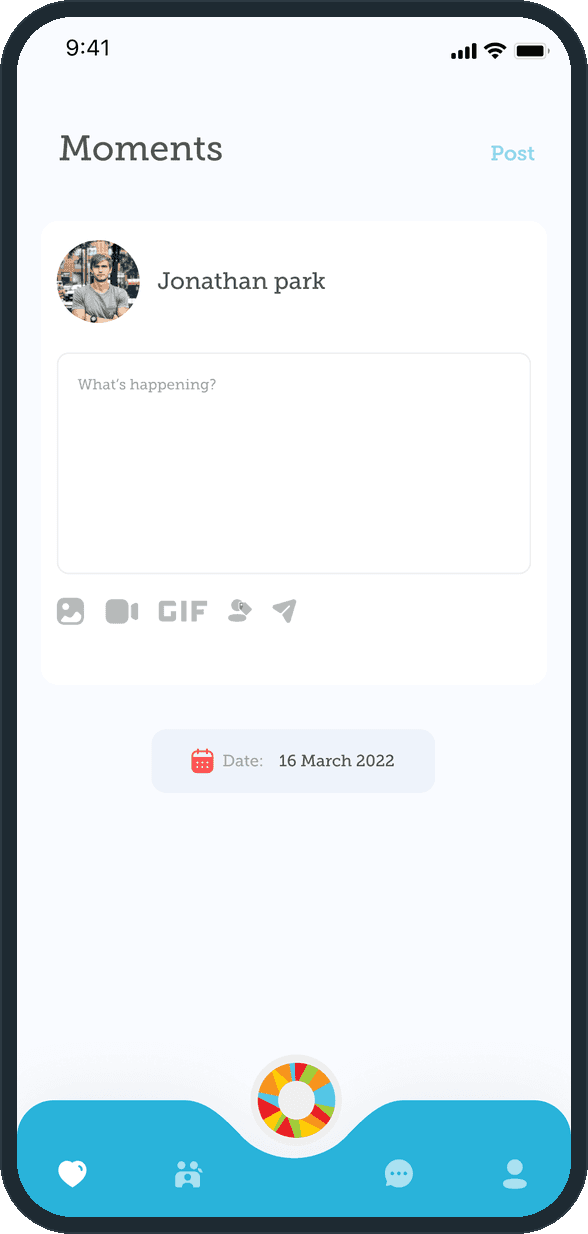
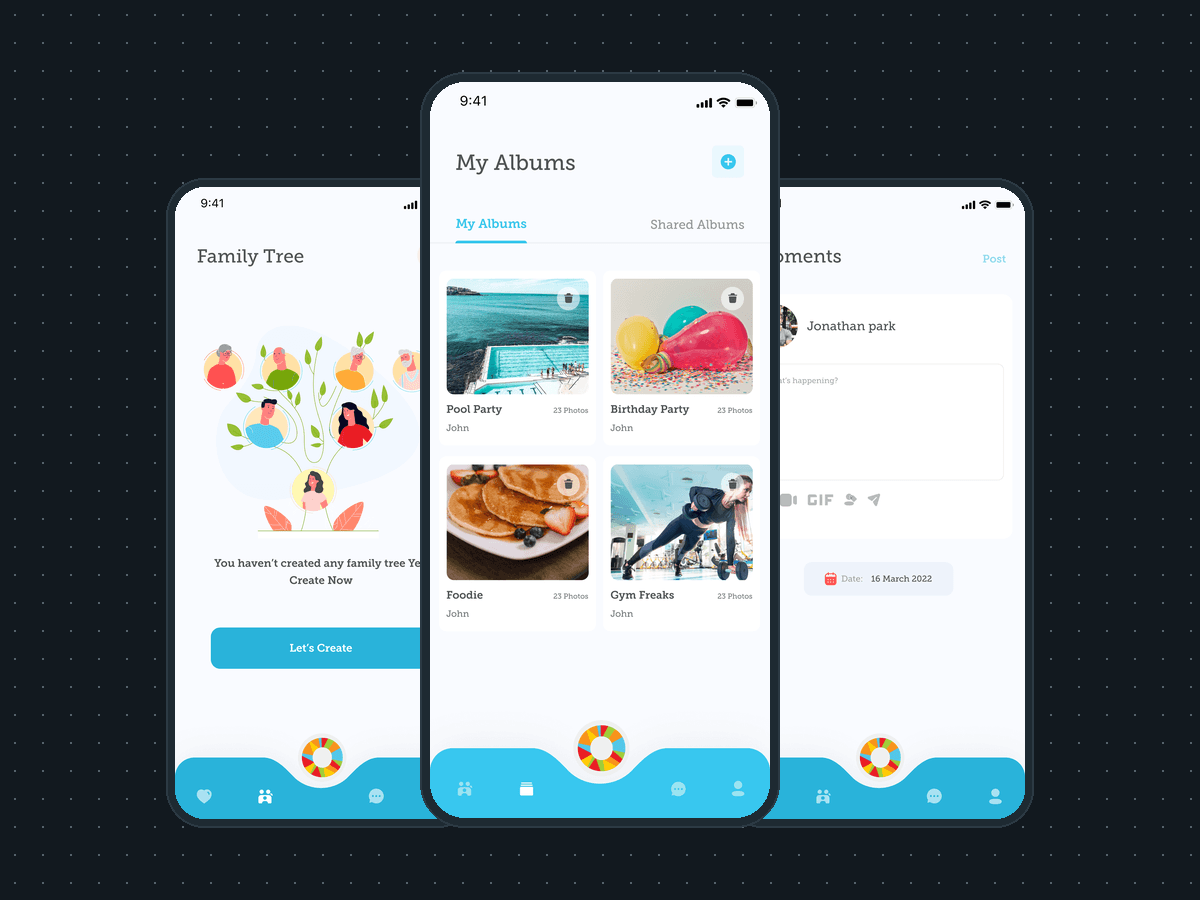
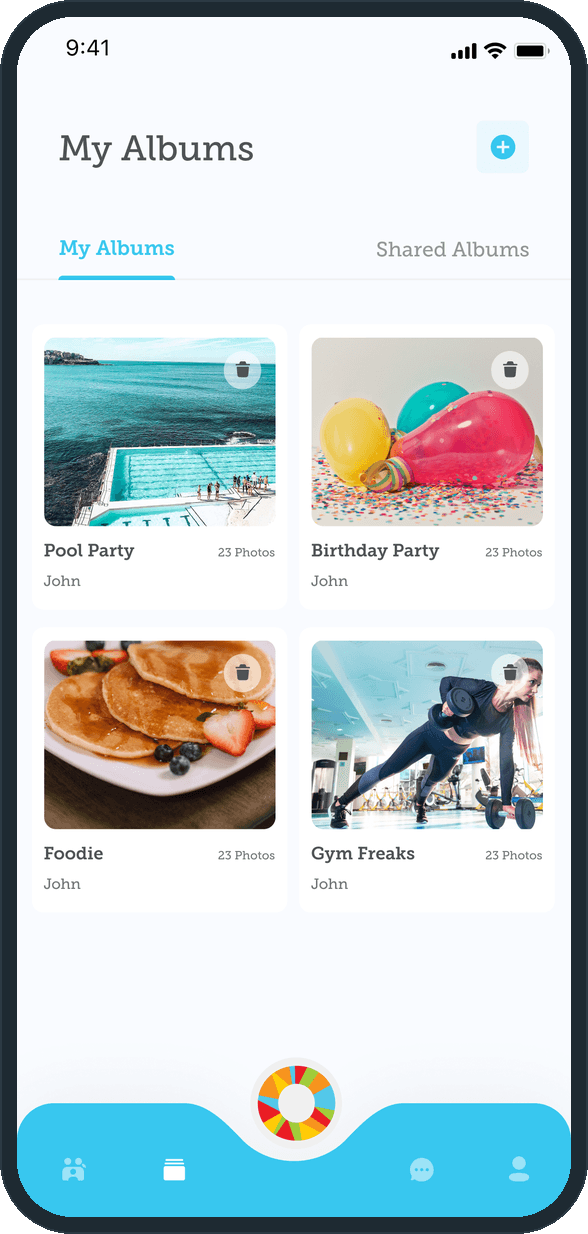
A moment starts from the Moments screen: the member's name and picture, a box that asks What's happening?, and a row of five actions under it: photo, video, GIF, location and send. A date chip sits under the box and Post sits in the header. An album starts from the plus button on My Albums and lands in the two-column grid with its cover, its photo count and its owner's name. The Shared Albums tab opens on the event albums, then an Albums For You grid.

Why does the mark sit in the nav?

The ring is the brand: five colors in one ring, under a lowercase script wordmark and the line Be one together. Putting it in a notch at the center of the bottom bar keeps it on every main screen without a header logo, and it gives the bar one point of color against the flat cyan. The rest of the palette stays quiet: a near-white ground, orange icons on the inputs, coral on the add button and the Album label, so the photos carry the color.

What shows up in the feed?

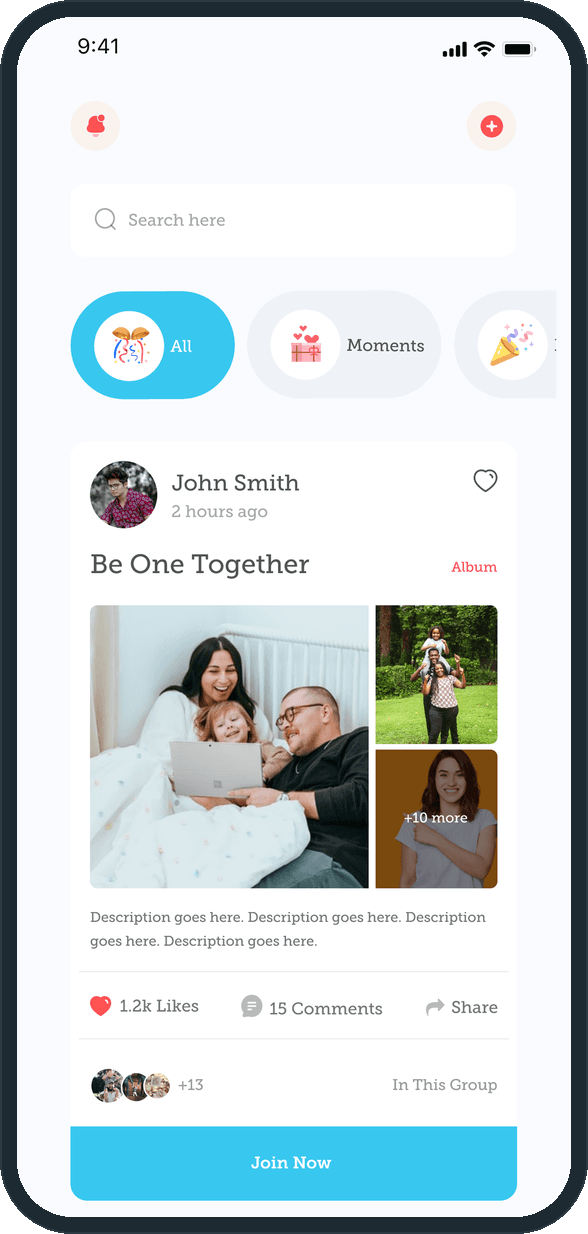
One stream of the albums, moments and events posted by the people and groups a member belongs to, under a search bar and All and Moments filter chips. Each card carries who posted it and when, a photo mosaic with a tile for the photos that do not fit, likes, comments and share, the faces of who is in the group, and a Join Now button across its foot.
  • Mosaic: What shows up in the feed?

How are photos kept and posted?

Albums sit in a two-column grid with a cover, a photo count and the owner's name, under My Albums and Shared Albums tabs, with an add button in the header and a delete control on each cover. A moment is posted from one box under the member's name that asks What's happening?, with photo, video, GIF, location and send under it, a date chip, and one Post action in the header.

  • Mosaic: How are photos kept and posted?
  • Mosaic: How are photos kept and posted?

Where does the family tree sit?

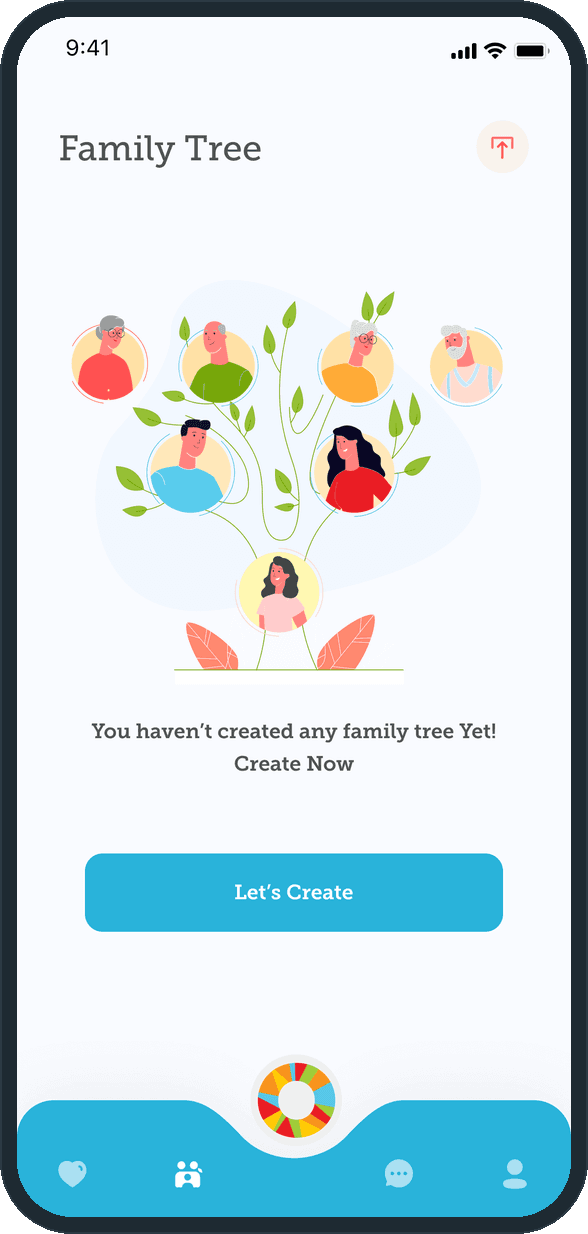
On its own screen, reached from the bottom bar. It opens on its empty state: an illustrated tree, one line that says no tree exists yet, and one Let's Create button in the primary cyan. Only an upload icon sits in the header, so the button is the one thing to tap.

  • Mosaic: Where does the family tree sit?

How do you sign in and recover a password?

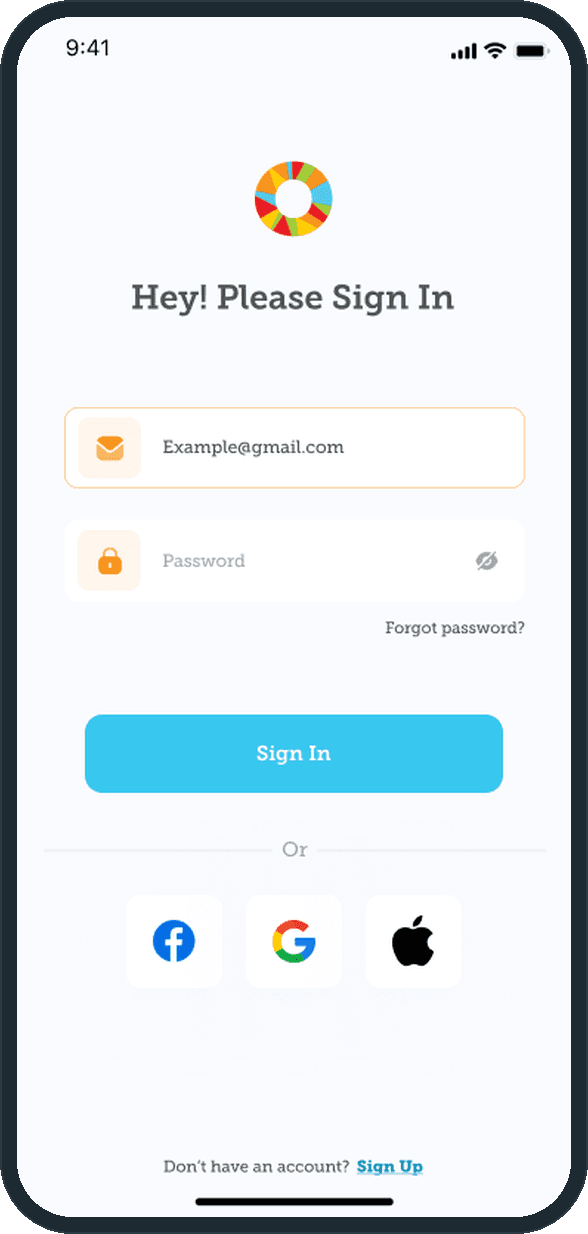
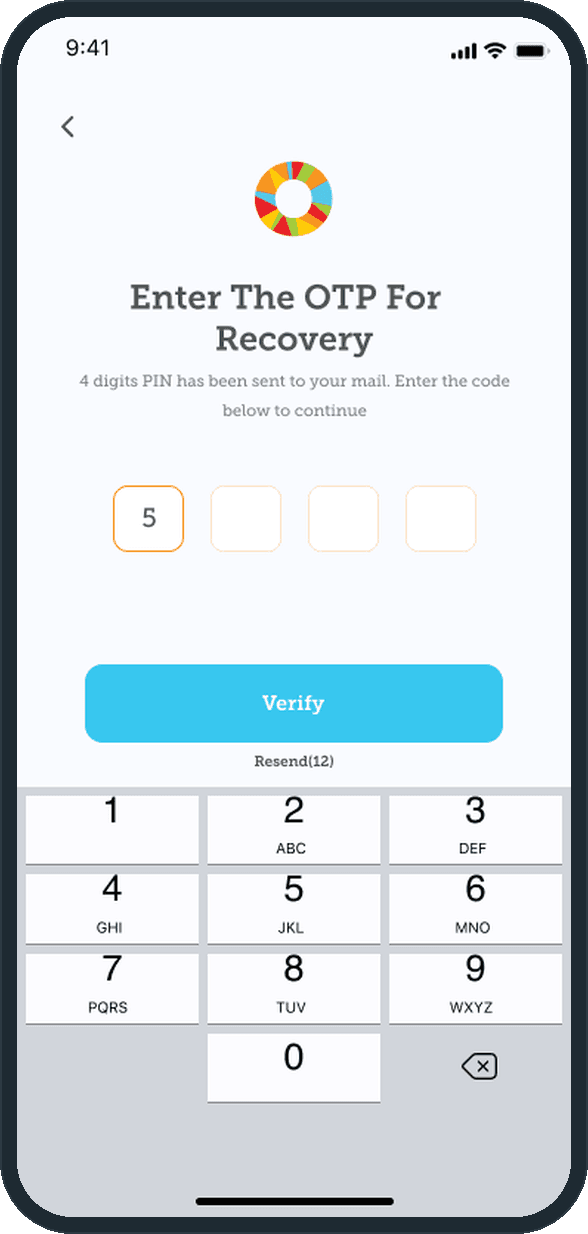
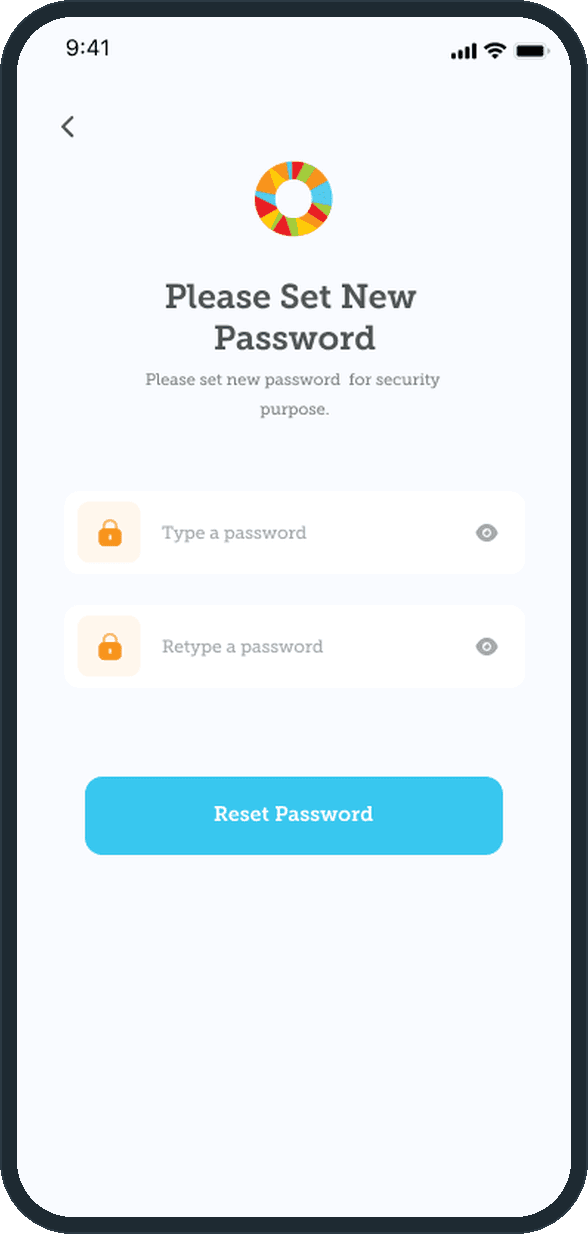
Email and password, or Facebook, Google or Apple, on one screen with a Sign Up link at the foot. Recovery runs in three screens: the account's email, a four-digit PIN sent to that address and typed into four boxes with a Verify button and a resend countdown, then a new password typed twice.

  • Mosaic: How do you sign in and recover a password?
  • Mosaic: How do you sign in and recover a password?
  • Mosaic: How do you sign in and recover a password?

What does the brand look like?

A ring of orange, yellow, red, green and cyan segments, the lowercase script wordmark and the line Be one together on a near-white ground. The same ring sits in the center notch of the cyan bottom bar on every main screen, so the mark is there without a header logo.

  • Mosaic: What does the brand look like?

The decisions

  • One feed, three kinds of card.

    Albums, moments and events share one stream instead of three tabs. The card shape stays the same for each; only the foot changes: Join Now under a group's album, Joined and Yes, No and Maybe under an event.

  • The mark is in the nav.

    The ring from the splash screen sits in a notch at the center of the cyan bottom bar, two tab icons on each side of it. It is the one multicolor element on a bar that is otherwise cyan and white, and it is there on every main screen.

  • Recovery by PIN, not by link.

    Forgot password sends a four-digit PIN to the account's email. The PIN screen holds four boxes, a Verify button and a resend countdown, and the keyboard is already up. Once the PIN is read from the email, the reset finishes inside the app.

  • An empty screen shows the next step.

    The family tree opens on an illustrated tree, a line that says none exists yet and one Let's Create button. The compose box asks What's happening? and puts photo, video, GIF and location in one row under it. Both screens that start empty show the one thing to do.

What was the outcome?

Built and delivered in under 6 months

One outcome per item, dated, or not disclosed: never an estimate.

Which of our services apply

Common questions

Did Plainbuilt build Mosaic?

Yes. Plainbuilt designed and built it full stack and delivered it in under 6 months.

Can Plainbuilt build a private social app like this?

Yes. The same shape of engagement: a working session to scope it, then the screens, the brand and the full-stack build. Book a working session to scope one.